

For growing eCommerce businesses, if you wanna scale a WooCommerce store, that’s not the main issue. But the real problem is that most WordPress stores are never engineered for large-scale operations. In fact, scaling a WooCommerce store to 100,000+ products requires a different structure with a broader mindset. Specifically, hosting decisions matter, but database structure, along with caching strategy, also matters. And on top of that, even a single poorly built plugin can create performance bottlenecks across the entire storefront.
Honestly, growth sounds exciting until your WooCommerce store starts fighting against it. At first, everything works smoothly, but suddenly it lags, and other issues occur. Products load quickly, the admin dashboard feels responsive, and orders are processed without delay. Then the WooCommerce store catalog expands. Tens of thousands of SKUs turn into hundreds of thousands. Suddenly, category pages crawl, imports fail halfway through, and as a result, checkout performance drops during traffic spikes.
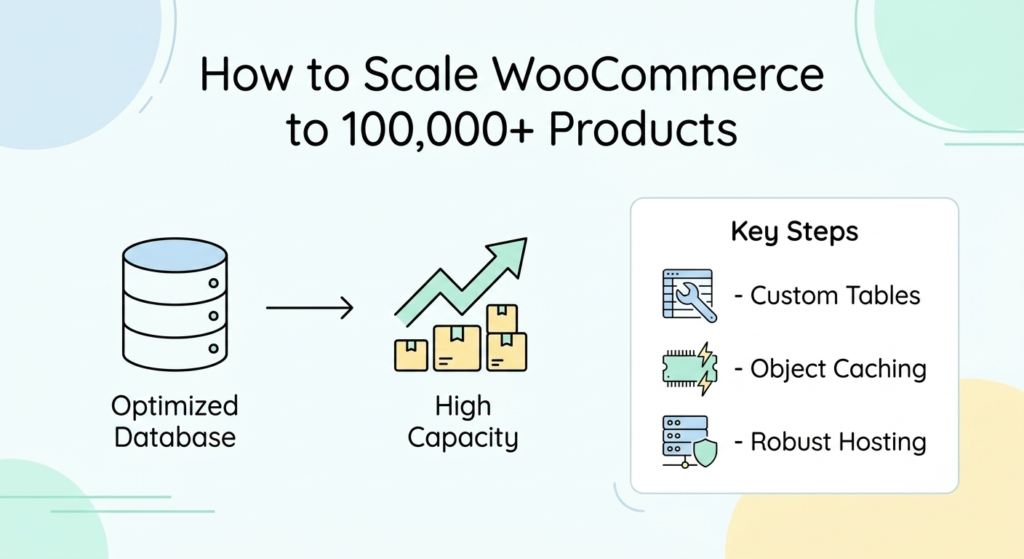
This guide breaks down the practical engineering decisions about how to scale a WooCommerce store that actually make large catalogs stable, fast, and manageable, without relying on vague “speed optimization” advice or plugin overload.
Table of Contents:
How to Scale a WooCommerce Store? A Complete Scalability Guide
Why WooCommerce Starts Slowing Down at Scale
Start With Infrastructure, Not Plugins
Use Special Hosting Built to Scale a WooCommerce Store
Enable HPOS Before Your Database Becomes a Problem
Redis Object Caching Changes Everything on Large Stores
The Database Is Usually the Real Bottleneck
Add Custom Database Indexes
Schedule Database Maintenance Automatically
Frontend Performance Matters Just as Much
Use a CDN for Product Assets
Compress and Lazy Load Images
Audit Plugins Ruthlessly
Managing Massive Product Catalogs Efficiently
Stop Using the WooCommerce Admin for Huge Imports
Replace Default WooCommerce Search
Monitoring and Load Testing Should Be Ongoing
Pros and Cons of Scaling WooCommerce Beyond 100,000 Products
Pros:
Cons:
Frequently Asked Questions About Scaling WooCommerce Stores Beyond 100,000 Products
How much does Redis caching really matter for a store with 100,000+ products?
Does HPOS actually make a real difference, or is it just another setting to ignore?
Is upgrading hosting really more important than piling on optimization plugins?
Why WooCommerce Starts Slowing Down at Scale
WooCommerce was originally designed to extend WordPress, which means products are stored as custom post types inside the wp_posts table. On top of that, product data, variations, attributes, pricing, and inventory details are spread across wp_postmeta. While that structure works well for smaller stores, but once your catalog grows into tens of thousands of products, as a result, this the database workload changes dramatically.
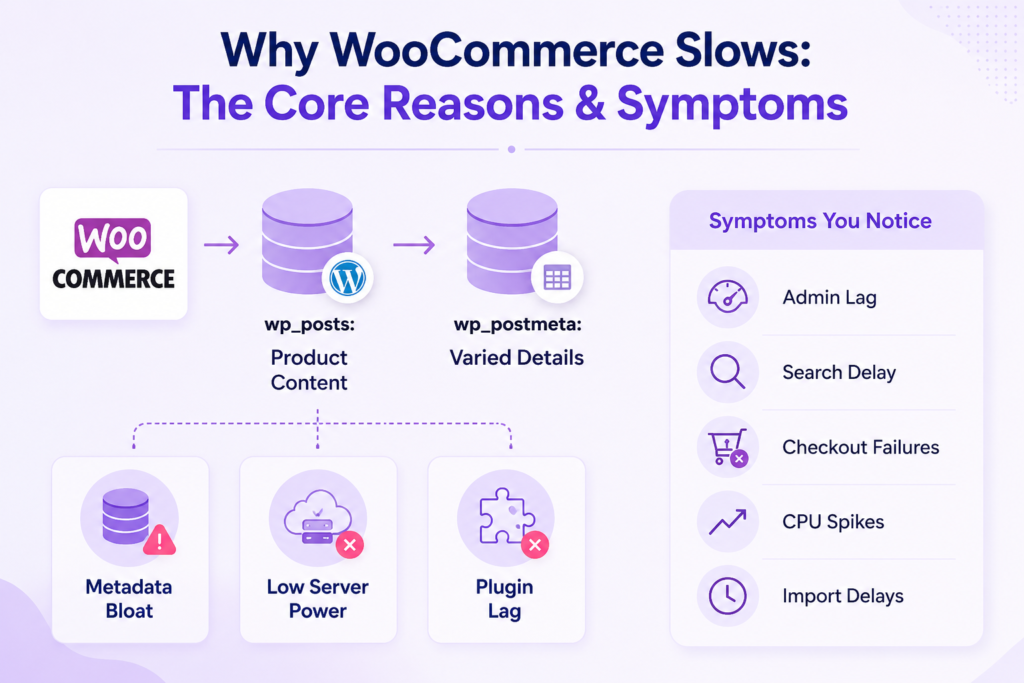
The slowdown usually comes from three areas:
- Massive wp_postmeta tables filled with variation and attribute data.
- Hosting environments that cannot handle concurrent database activity.
- Plugins are executing unnecessary queries on every request.
When these issues stack together, the symptoms become obvious:
- Slow admin dashboards
- Delayed product searches
- Check out the timeouts during sales
- High CPU usage warnings from hosting providers
- Long import and export times
Start With Infrastructure, Not Plugins
Use Special Hosting Built to Scale a WooCommerce Store
In reality, scaling a large WooCommerce store needs architectural improvements, not more software layered on top.
Let’s be honest that shared hosting is rarely capable of handling a six-figure product catalog reliably. For scaling a large WooCommerce store, you need a premium infrastructure that is designed for high database activity and traffic fluctuations. That means:
- PHP 8.2 or newer with OPcache enabled
- MySQL 8 or MariaDB 10.6+
- NVMe storage instead of standard SSDs
- Dedicated database resources
- Autoscaling support during traffic spikes
- Server-level Redis or Memcached support
- Built-in CDN and compression layers
Managed WooCommerce hosting platforms such as Kinsta, Cloudways, and Nexcess provide a strong starting point for medium-to-large stores. For enterprise operations with ERP integrations, custom APIs, or multi-region traffic, dedicated cloud infrastructure usually becomes the better long-term option because it gives developers direct control over database tuning, queue management, and scaling behavior.
Look, if your WooCommerce store already feels unstable under load, the server environment should be the first thing audited, not the last.
Enable HPOS Before Your Database Becomes a Problem
One of the biggest improvements WooCommerce introduced in recent years is High-Performance Order Storage (HPOS). Instead of storing orders inside WordPress’s default post tables, HPOS moves order data into dedicated WooCommerce tables designed specifically for eCommerce operations.
Here’s the key takeaway: that change reduces database congestion significantly
- Faster checkout performance
- Reduced table locking
- More efficient order queries
- Improved scalability during high transaction volume
- Cleaner database separation between content and commerce data
For stores processing large order volumes, HPOS is no longer optional. In fact, it should be considered baseline infrastructure. You can enable it inside:
WooCommerce → Settings → Advanced → Features
Before activating it, verify that your payment gateways, shipping plugins, and custom integrations support HPOS compatibility.
Redis Object Caching Changes Everything on Large Stores
Without persistent object caching, WordPress repeatedly rebuilds the same database queries on every request. That alone is fine for small stores, but what about a 100,000-product catalog? That becomes expensive quickly. Redis solves this by storing frequently requested data directly in memory, including:
- Product information.
- Navigation menus.
- Inventory counts.
- Category structures.
- Pricing data.
- Session objects.
Instead of repeatedly asking MySQL for the same information, WordPress retrieves it instantly from memory. Here’s where it gets exciting: the difference is often dramatic on large catalogs, especially for stores with heavy search activity or layered navigation filters. And honestly? A properly configured Redis setup usually delivers more meaningful performance improvements than most frontend optimization plugins combined.
The Database Is Usually the Real Bottleneck
Scaling a WooCommerce store fails sometimes because the database is ignored for too long. Over time, WordPress accumulates enormous amounts of unnecessary data:
- Expired transients
- Post revisions
- Orphaned metadata
- Failed scheduled actions
- Abandoned session records
- Legacy plugin tables
At enterprise catalog sizes, this dead weight slows everything down.
Add Custom Database Indexes
WooCommerce’s default indexing is not optimized for extremely large catalogs.
Slow queries often target:
- meta_key
- meta_value
- product attributes
- SKU lookups
- variation filtering
Using monitoring tools like Query Monitor or New Relic helps identify which queries are consuming the most time. From there, custom indexes can be added specifically for those query patterns. But here’s the truth: plugins like Index WP MySQL for Speed can help, yet highly customized stores usually benefit more from manual database optimization performed by experienced developers.
Schedule Database Maintenance Automatically
If you want to scale a WooCommerce store to 100,000+ products, then the database needs regular maintenance, not occasional cleanup. A reliable maintenance routine should include:
- Removing expired transients
- Cleaning orphaned metadata
- Limiting excessive post revisions
- Optimizing WooCommerce order tables
- Archiving historical orders
- Clearing stale sessions
At scale, automated server-side cron jobs are usually more reliable than relying entirely on WordPress cron scheduling.
Frontend Performance Matters Just as Much
A fast backend does not guarantee a fast customer experience. That’s why, in product-heavy stores, frontend performance often depends on three things more than anything else.
Use a CDN for Product Assets
Product images become one of the largest performance burdens on large WooCommerce stores, but a CDN reduces that pressure. Popular CDN solutions include:
- Cloudflare
- Bunny.net
- Jetpack CDN for smaller operations
This improves page speed globally while reducing load on the original server.
Compress and Lazy Load Images
A WooCommerce store with a large catalog often contains hundreds of gigabytes of media assets. But here’s what actually works: converting images to WebP and enabling lazy loading dramatically reduces initial page weight. For stores with image-heavy category pages, this can significantly improve:
- Largest Contentful Paint (LCP)
- Mobile performance
- Bounce rates
- Category browsing speed
Audit Plugins Ruthlessly
Every plugin introduces additional execution time, but in small stores, that overhead is manageable. On enterprise WooCommerce stores, however, plugin inefficiency compounds quickly. So, a quarterly plugin audit should answer three questions:
- Does this plugin still serve a necessary purpose?
- Does WooCommerce already provide this functionality natively?
- Is this plugin creating slow database queries?
Additionally, many performance issues disappear simply by removing redundant plugins.
Managing Massive Product Catalogs Efficiently
Stop Using the WooCommerce Admin for Huge Imports
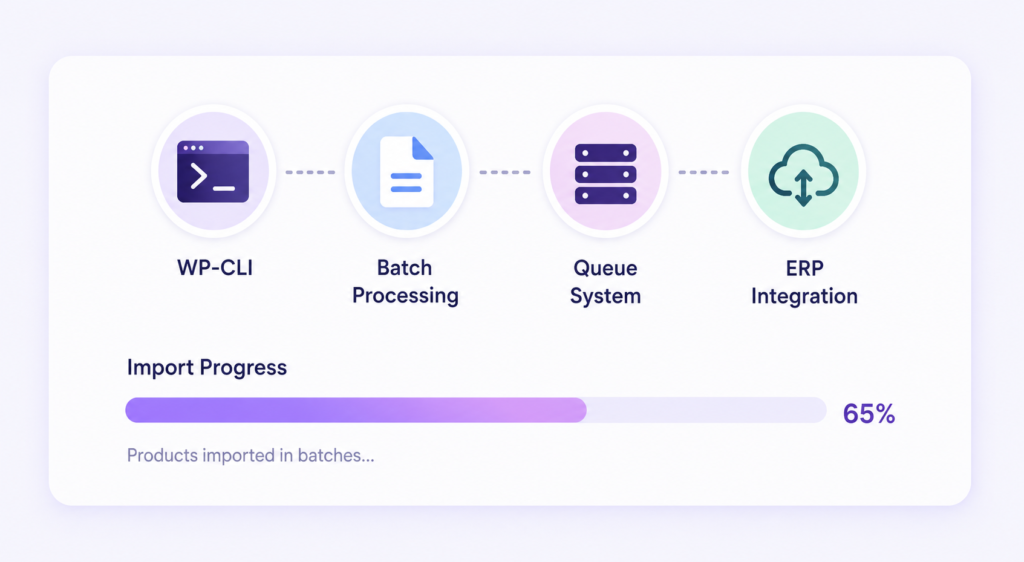
Uploading tens of thousands of products through the WordPress dashboard is risky and inefficient. Large imports should run through:
- WP-CLI
- Batch processing scripts
- Queue-based import systems
- ERP integrations with controlled sync intervals
Processing products in smaller batches prevents:
- PHP memory exhaustion
- Database table locking
- Timeouts during imports
For enterprise stores, background synchronization workflows are far more reliable than manual CSV uploads.
Replace Default WooCommerce Search
WooCommerce’s native search relies heavily on MySQL LIKE queries. Here’s where it falls apart: that approach struggles badly once catalogs become large. The fix? Search platforms like Elasticsearch improve search speed and relevance dramatically, especially for:
- SKU lookups
- Attribute filtering
- Partial keyword searches
- Autocomplete functionality
Plugins such as ElasticPress integrate Elasticsearch directly into WordPress and typically reduce search response times from seconds to milliseconds. But here’s what most store owners miss: for large catalogs, upgrading search functionality often improves conversion rates as much as performance itself.
Monitoring and Load Testing Should Be Ongoing
Scaling is not a one-time optimization project because large WooCommerce stores require continuous monitoring to catch problems before customers experience them.
Platforms like:
- Datadog
- New Relic
- Kinsta APM
help track:
- Database query times
- PHP memory usage
- Slow transactions
- API failures
- Checkout bottlenecks
Load testing is equally important before major campaigns or seasonal sales. Tools like Loader.io or K6 simulate concurrent users and expose weak points inside:
- Checkout flows
- Search systems
- Product filtering
- Cart sessions
Finding those issues during testing is far cheaper than discovering them during a live sale.
Pros and Cons of Scaling WooCommerce Beyond 100,000 Products
Scaling a WooCommerce store up to 100,000+ products is really hard, but possible only when managed strategically and professionally. At scale, WooCommerce stops being ‘just a plugin.’ In fact, it becomes an engineering system that needs proper infrastructure, database strategy, caching layers, monitoring, and maintenance processes working together.When those pieces are implemented correctly, WooCommerce remains one of the most flexible and cost-effective enterprise commerce platforms available.
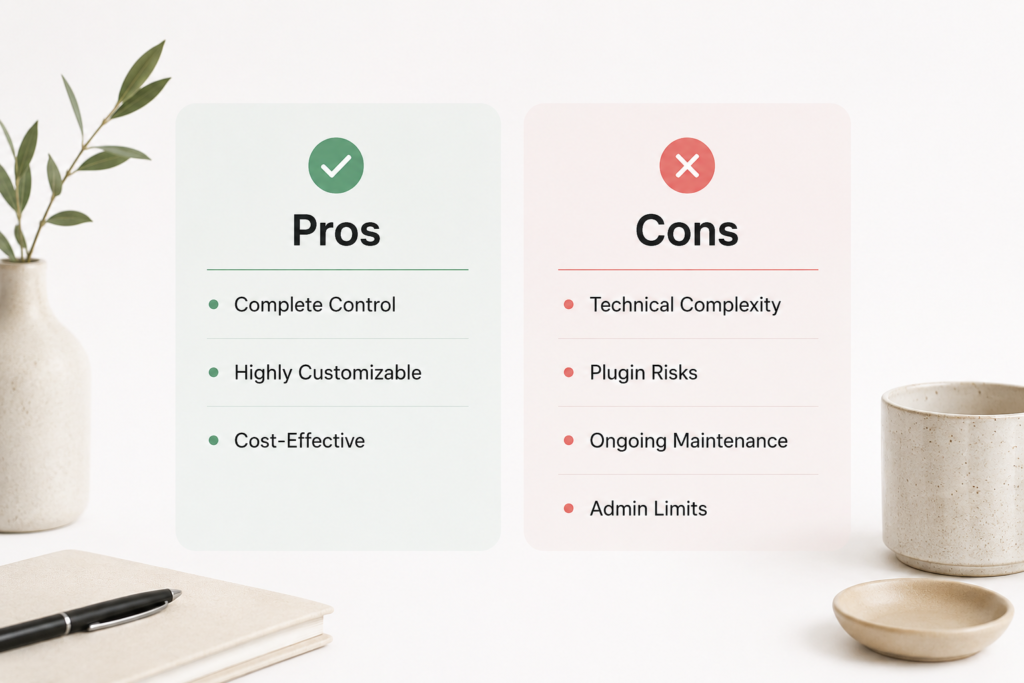
Pros:
Complete Control
With WooCommerce, businesses retain complete authority over :
- Infrastructure
- Codebase
- Customer data
- Integrations
However, there are no platform lock-ins or transaction fees tied to revenue growth.
Extremely Customizable
WooCommerce’s ecosystem makes advanced functionality achievable, including:
- ERP integrations
- Multi-currency logic
- Custom pricing systems
- Wholesale workflows
- Headless storefronts
Cost‑Effective, Not Hands‑Off
When properly engineered, WooCommerce infrastructure is often more cost-effective than enterprise platforms like Adobe Commerce or Salesforce Commerce Cloud. The catch? Performance responsibility stays with your engineering team.
Cons:
Technical Complexity Increases Fast
Scaling a WooCommerce store to 100,000+ products successfully requires real engineering work. Specifically, server optimization, database management, caching, indexing, and queue handling all become critical as catalogs grow.
Plugin Quality Becomes a Serious Risk
Poorly coded plugins create larger problems on high-scale stores than they do on small sites. One inefficient extension can slow the entire storefront.
Ongoing Maintenance Never Stops
Large WooCommerce stores need continuous monitoring and maintenance because most performance disasters happen due to scaling preparations and ongoing maintenance starting too late. Businesses wait until the admin dashboard becomes unusable or checkout failures begin affecting revenue before addressing the deeper architectural issues. The reality is, database cleanup, security patching, server tuning, performance auditing, and ongoing checking become operational responsibilities, not just occasional tasks you get to when you have time.
The Admin Experience Eventually Hits Limits
The default WooCommerce admin was not designed for extremely large product catalogs. So, beyond a certain size, many enterprise stores move toward:
- Custom admin dashboards
- External product management systems
- Headless commerce workflows
to improve operational efficiency.
Frequently Asked Questions
Redis can totally change how your store performs, but without persistent object caching, WordPress keeps rebuilding the same database queries over and over on every single page request. Redis stores that commonly requested data right in memory, which takes an enormous amount of pressure off your database. On a large catalog, that usually translates to faster category pages, smoother navigation, and product searches that don’t make you cringe during traffic spikes.
It makes a huge difference because it pulls order data out of WordPress’s messy post tables and moves it into clean, dedicated WooCommerce tables. As a result, less database congestion, fewer table locks, and faster checkout flows. And honestly, plenty of store owners notice the performance improvement almost right after flipping the switch, assuming their plugins play nicely with it.
Honestly, yes, but I’ve seen too many store owners spend months installing one “speed fix” plugin after another while still running on hosting that’s barely breathing. A large WooCommerce store needs infrastructure built for serious database activity, not just surface-level frontend tricks, but hosting with PHP 8.2, NVMe storage, Redis support, and dedicated resources will almost always outperform five random optimization plugins stacked on top of each other.


Comments