

WordPress sites rarely break all at once because problems build quietly and unnoticed in the background. A plugin update slows the backend, a bloated database adds friction, and a staging setting accidentally blocks indexing. An outdated PHP version keeps running because “everything still works.” One day, rankings drop, pages lag, or the site becomes unstable during a campaign, and the technical foundation suddenly matters. Here’s a WordPress technical audit guide that comes in and helps you understand what it is and why it is important.
Also, a website can look completely fine on the surface while carrying hidden performance, security, and infrastructure issues underneath. Design tells you how a site looks, but a WordPress technical audit guide tells you how well the system is actually holding together. Before diving into the audit details, let’s clarify what a comprehensive WordPress technical audit guide really involves, what issues typically emerge, and why timing and expert analysis are essential, especially as your website grows in importance.
Table Of Contents:
- The Complete WordPress Technical Audit Guide for Growing Websites
- Table Of Contents:
- What a WordPress Technical Audit Is
- What a WordPress Technical Audit Covers
- Performance and Core Web Vitals:
- The Full Security inspection:
- Technical SEO and Crawlability:
- Hosting and Infrastructure:
- What Typically Gets Found
- The Right Time to Audit Your WordPress Site
- Before a significant traffic campaign:
- After a redesign or migration:
- When traffic drops, and nothing obvious has changed:
- Standard 6- 12-month rule;
- Professional Audit vs. Automated Tools
- Frequently Asked Questions
- What is a WordPress technical audit, and what makes it different from a standard SEO audit?
- How often should a WordPress website be technically audited?
- Can resolving technical audit findings actually improve Google rankings?
- My WordPress site seems to be running without any issues. Is a technical audit still worth doing?
- What does a WordPress technical audit cost, and how long does it take?
What a WordPress Technical Audit Is
A WordPress technical audit exists to identify issues before they become urgent, offering insight into your site’s inner workings ahead of emergencies. A WordPress technical audit gives you that picture. Not a one-time fix, a clear map of where your site actually stands and what it needs to keep performing at the level your business requires.
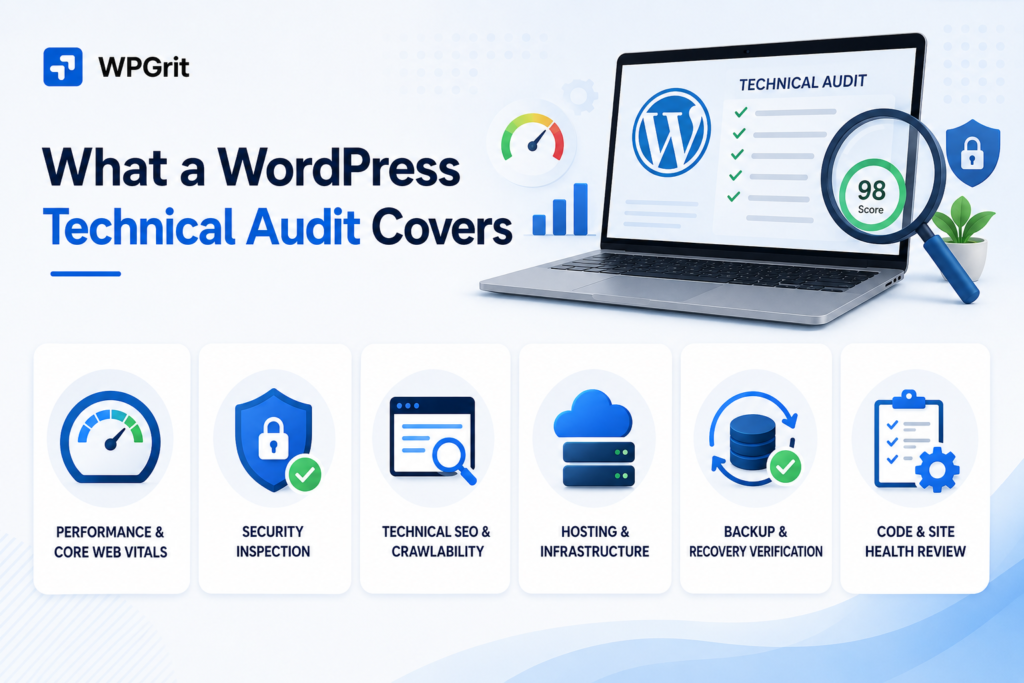
A WordPress technical audit is a structured review of your site’s system: performance stack (the servers, caching, and code that control speed), security configuration (settings protecting data and access), code (how the site’s software functions), hosting environment (where your site lives online), and search engine technical interactions.
What a WordPress Technical Audit Covers
Every site is different, so a proper WordPress website audit adapts to the specific setup, but these six areas are crucial in the audit process.
Performance and Core Web Vitals:
Slow sites kill conversions and rankings. Speed issues build quietly: a plugin appears in January, unoptimized images in March, and a bloated database by June. By the time users begin bouncing, performance debt has accumulated unnoticed for months.
A performance audit digs into your server response time, tests if your caching is actually doing its job, checks your image sizes and delivery, flags render-blocking scripts, and scans your database for orphaned post revisions weighing you down.
Google’s Core Web Vitals measure loading speed, responsiveness, and visual stability, and they check these against real-user performance data. Why? Because a site might ace a simulated test but still crumble on an actual user’s phone or laptop.
The Full Security Inspection:
A plugin vulnerable to attack won’t alter your site’s display, and a file permission error is invisible in the admin panel. An exposed wp-config.php path alerts only in the no dashboard warning.
The security portion of an audit checks WordPress core version (main software for updates), every plugin and theme against known vulnerability databases (lists of security risks), file and directory permissions across your server (who can access files), SSL/TLS certificate validity and cipher configuration (secure connections setup), HTTP security headers (information controlling browser security), login protection (security for user access), and whether XML-RPC (a WordPress function for remote communications) is open to brute-force amplification.
Most WordPress compromises don’t target core software because outdated or abandoned plugins and themes are the usual entry points, and an audit finds them before attackers do.
Technical SEO and Crawlability:
Search rankings remain unaffected by content quality if Googlebot encounters technical barriers when accessing pages. Technical SEO isn’t about keywords, but it’s about search engines crawling (discovering pages), rendering (processing page content), and indexing your site (adding pages to search results), and obstacles. Broken sitemaps (lists of pages for search engines) pointing to 404s, canonical tag conflicts from running two SEO plugins, redirect chains from old fixes, and robots.txt rules blocking CSS and JavaScript needed for proper rendering.
And then there’s the one that comes up with alarming regularity: a live site with “Discourage search engines from indexing this site” still. Every WordPress site accumulates technical debt. Plugins solve problems, are forgotten, and never removed. Custom code comes from contractors who have moved on. Child themes end up patched in ways that make updates nearly impossible without breaking the layout.
This section is crucial before any large development project. Knowing your foundation before building further shapes every scope and timeline decision.
Hosting and Infrastructure:
A solid WordPress site on a misconfigured server will still lag, crash under traffic, or introduce security risks. Infrastructure is reviewed because it underpins each layer. PHP version is a straightforward factor; sites using PHP 7.4 (a programming language version) or earlier. The audit measures server response times under realistic traffic, reviews database health, backup system reliability, and server configuration settings.
Backup and Recovery Verification
Backups deserve their own section because of how often they fail silently. The audit checks that backups are scheduled, complete, stored offsite, and that restores have been tested. Are configured systems storing incomplete files, saving only locally, or failing to complete silently? The audit verifies that backups are scheduled, complete, stored offsite, and that restores have been tested.
What Typically Gets Found
| Area Reviewed | Issues That Come Up Repeatedly |
| Performance | Uncompressed images, render-blocking scripts, disabled or misconfigured caching, database bloat |
| Security | Outdated plugins with open CVEs, weak login policies, exposed files, and missing security headers |
| Technical SEO | Broken XML sitemaps, canonical conflicts, accidental noindex settings, redirect chains |
| Plugins and Code | Conflicting or abandoned plugins, duplicate functionality, and unmaintained custom code |
| Infrastructure | PHP version too old, untested backups, inadequate hosting for traffic volume |
The Right Time to Audit Your WordPress Site
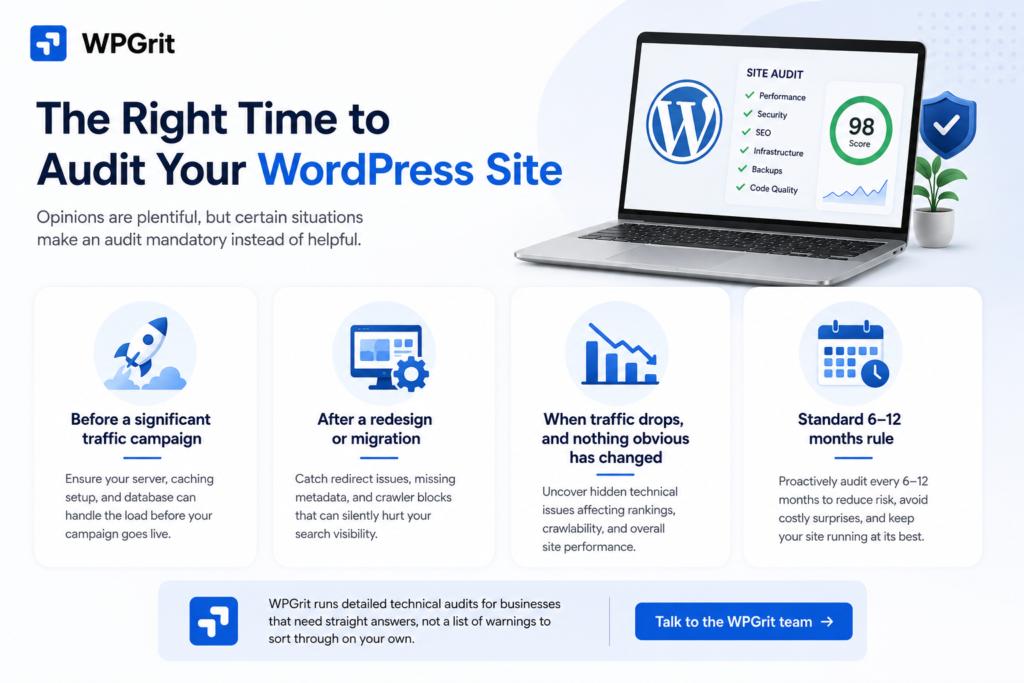
Opinions are plentiful, but certain situations make an audit mandatory instead of helpful.
Before a significant traffic campaign:
A paid ad campaign or a product launch will stress your infrastructure in ways that ordinary traffic never does. Sites that handle 4,000 monthly visitors without issue can fall apart under 40,000 concurrent sessions. An audit before the campaign tells you whether your server, caching configuration, and database can accept the load.
After a redesign or migration:
These are the usual triggers for unexplained organic traffic drops and are usually avoidable. New URL structures with incomplete redirects, missing metadata, or theme code blocking crawlers are easy to miss during launch and quietly destructive in the weeks after.
When traffic drops, and nothing obvious has changed:
If your publishing cadence is consistent but rankings are sliding, something technical is usually involved. Crawl budget issues, Core Web Vitals failures, and indexation problems all produce the same symptom: declining visibility, with no obvious error message anywhere on the site.
Standard 6 – 12 months rule:
Treating technical audits as a reactive measure increases organizational risk and potential costs. For business-critical sites, proactively scheduling for 6 – 12 months reviews demonstrates responsible management.
WPGrit runs detailed technical audits for businesses that need straight answers, not a list of warnings to sort through on your own. Talk to the WPGrit team →
Professional Audit vs. Automated Tools
Automated tools, like Scream, flag “render-blocking resources.” It doesn’t show if these resources are critical, what removal might break, or whether to defer loading or replace the plugin. Fifty warnings appear, but you must decide which three matter now and which 47 can wait.r Professional audits provide prioritization tools that automated scans never will. An engineer, familiar with many WordPress codebases, spots patterns no scanner detects. Plugin clashes appear only under load, architecture blocks development, and hosting setups fail to scale. An engineer versed in dozens of WordPress codebases spots patterns no scanner detects, plugin clashes only visible under load, architecture obstructing development, and hosting setups that scale poorly.
The output isn’t a longer list of warnings. It’s a prioritized roadmap with clear reasoning behind the priority order: what to fix immediately, what goes in the next sprint, and what can sit on the backlog without causing problems. For organizations seeking continuous oversight, WPGrit’s WordPress Retainer and Long-Term Partnership option provides ongoing performance monitoring, proactive security management, and direct access to senior WordPress engineers. Early identification and resolution of potential issues underpin this service model. A WordPress site that performs, stays secure, and keeps ranking isn’t something that happens by accident. WPGrit‘s retainer plans keep it that way without you having to manage it reactively.
Frequently Asked Questions
A technical audit focuses entirely on the infrastructure layer of your site, how it’s built, how it performs, how it’s secured, and how search engines technically interact with it. An SEO audit is broader and usually covers keyword targeting, content quality, and backlink profile, alongside the technical elements. The technical side is one component of a full SEO audit, but it goes considerably deeper on the engineering side. For businesses experiencing performance problems, unexplained ranking drops, or preparing for major development work, a technical audit gives you the structural clarity you need before making decisions that cost time and money to undo.
For any site where the web platform directly contributes to revenue, whether through e-commerce, lead generation, content publishing, or bookings, a full technical review every six to twelve months is a sensible baseline. Outside that schedule, run one before major campaigns, after redesigns or CMS migrations, after significant plugin updates, and any time something measurable changes unexpectedly. Waiting for a visible symptom before auditing means the problem has usually already been developing for a while.
Yes, but the mechanism is specific. Technical fixes don’t manufacture rankings; they remove barriers that were preventing your content from competing fairly. If search engines can’t crawl your pages efficiently, if your Core Web Vitals scores fall below Google’s thresholds, or if canonical conflicts are sending contradictory signals about which page version should be indexed, fixing those issues brings your site to a baseline where the content can actually compete. For sites where technical issues are the primary constraint, resolving them can produce measurable ranking improvements within four to eight weeks. For sites where the bottleneck is content or backlinks, the ranking impact is smaller, but the site will be faster, more secure, and more stable regardless.
As a professional WordPress technical audit guide site, I suggest that “seems fine” is often the best candidate for an audit, because the most consequential technical problems are invisible from the front end. A plugin carrying a known vulnerability doesn’t change how your site looks. A canonical conflict doesn’t trigger any admin warning. A PHP version running two major releases behind schedule doesn’t produce a visible error until something breaks. Technical debt on WordPress sites accumulates quietly, and audits on apparently healthy sites regularly turn up several high-priority items that have been sitting undetected for months.



Comments