

Nobody warns you about the rebuild. You launch on Elementor. Everything looks great, and your team loves being able to drag a button without filing a support ticket. But then, 18 months later, a plugin update breaks your homepage at midnight. Your developer digs in and finds the kind of code that makes experienced people wince: div tags nested five levels deep, 14 plugins fighting each other, a Lighthouse score of 46 on mobile. Yet it keeps happening because the page builder vs custom themes decision gets treated as a design preference when it’s actually a business infrastructure decision.
So let’s talk about what that decision actually means in practice. If you’re already dealing with plugin conflicts, slow performance, or recurring technical issues, it may be worth reviewing your current WordPress security and maintenance services before those problems become expensive rebuilds.
Table of Contents:
- Page Builder vs Custom Themes: What Serious Businesses Actually Choose
- What You’re Really Choosing:
- The Speed Problem Is Worse Than Most People Realise
- Page Builder vs Custom themes: The Impact on your SEO
- The Five-Year Math Most Businesses Get Wrong
- The Design Drift Nobody Warns You About
- Security Gets Overlooked Until It Isn’t
- When Page Builders Are Actually the Right Call
- What the Businesses That Got It Right Actually Did
- Frequently Asked Questions
- Does switching from a page builder to a custom theme improve SEO?
- Will I lose content if I migrate away from a page builder?
- Is custom WordPress development worth it for a growing business?
- Do page builder sites get hacked more easily?
What You’re Really Choosing:
If you dig deep to find one perfect answer for Page Builder vs Custom themes, you will find out that A custom WordPress theme is code written specifically for your site, which means PHP templates, CSS that exists for a reason, and JavaScript that doesn’t load unless the page actually needs it. There’s also no third-party visual editor sitting underneath controlling how things render. Instead, the developer who builds it makes every decision deliberately.
A page builder, Elementor, Divi, WPBakery, is a plugin that wraps a drag-and-drop interface around your theme. As a result, it gives non-developers visual control over page layouts. Honestly, the appeal isn’t hard to understand: lower upfront cost, faster launch, and your marketing team doesn’t need to call anyone to change a headline.
But here’s the thing: what the editor looks like and what the code looks like are two completely different things. Page builders generate output that no developer would write by hand. For example, layers of wrapper divs, inline styles scattered through the markup, and scripts loading on every page, whether that page uses them or not. So the visual layer feels light, but the code layer isn’t.
The Speed Problem Is Worse Than Most People Realise
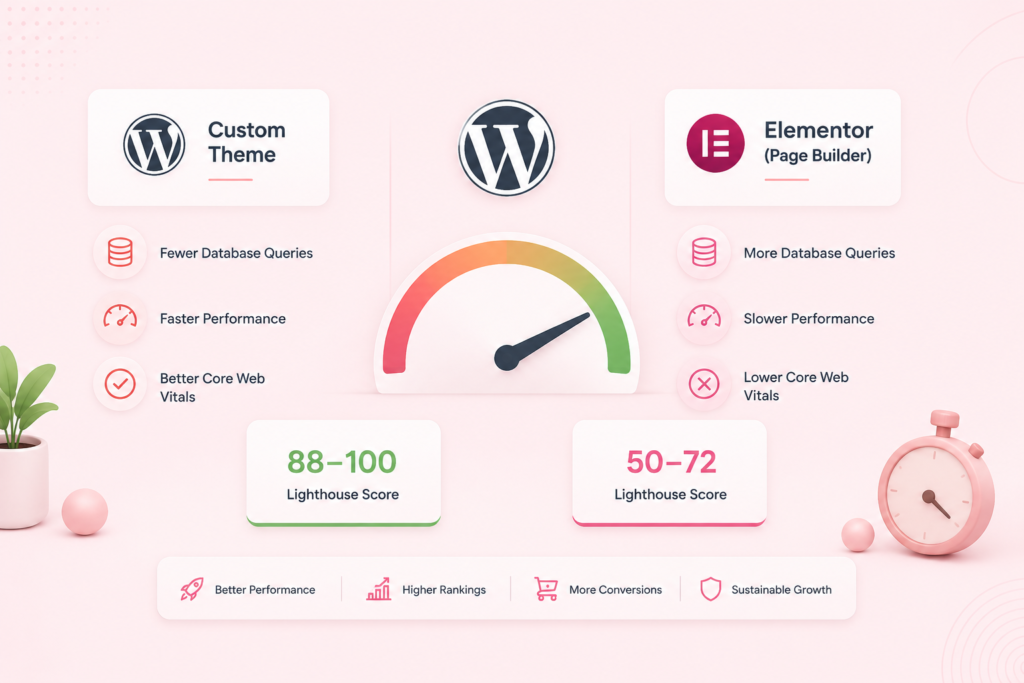
A clean WordPress install runs about 21 database queries per page load. In contrast, Elementor pushes that to somewhere around 75. That’s not a rounding error, but that’s nearly four times the database activity to serve one page.
Why does that happen? Because page builders load their entire asset library globally. This means your contact page carries the weight of every feature the builder offers, even the ones you’ve never used. On the other hand, a custom theme only loads what each specific page actually needs and nothing more.
That difference shows up directly in Google’s Core Web Vitals, specifically in Largest Contentful Paint and Interaction to Next Paint, which are now formal ranking signals. In practice, well-built custom themes regularly score in the high 80s to low 100s on mobile Lighthouse audits. Meanwhile, Elementor builds tend to land between 50 and 72. And that gap doesn’t disappear with a caching plugin. Sure, you can improve a page builder site’s speed, but you’re spending effort fighting the architecture rather than working with it.
| Metric | Custom WordPress Theme | Page Builder (Elementor) |
| DB queries per page | ~21 | ~75 |
| Mobile Lighthouse (typical range) | 88–100 | 50–74 |
| Unused assets on page load | Near zero | Consistently high |
| Core Web Vitals pass rate | High | Variable |
| Maintenance complexity over time | Low | Grows with plugin count |
For a site doing real volume in a competitive search market, this is not a minor technical footnote for page builder vs custom themes. After all, slow pages lose rankings, and slow pages lose customers. That’s why WPGrit builds every site with performance baked in from the architecture level: clean custom code, no builder overhead, nothing loading that doesn’t need to.
Page Builder vs Custom themes: The impact on your SEO
Search engines read your code before a human ever reads your page. So when they crawl through six layers of nested divs to find your H1 tag, that semantic clarity problem affects how accurately your content gets categorised and ranked.
Custom themes produce proper HTML structure, logical heading hierarchies, clean content flow, and a schema that makes sense. Because of that, search engines reward them over time. Page builders, however, produce markup that communicates layout intent to a visual editor, not semantic intent to a crawler.
There’s also a crawl efficiency angle. Specifically, for sites with significant page counts, Google gives you a crawl budget, a limit on how much of your site it processes in a given period. Bloated pages eat that budget faster. Consequently, learner custom-built pages get crawled more efficiently, which means new content gets indexed sooner.
Now, the SEO case for custom development isn’t dramatic; you don’t switch and immediately see rankings double. But the compounding effect over 12 to 24 months on a competitive site is real, and it consistently favours clean architecture.
The Five-Year Math Most Businesses Get Wrong
Page builders win the upfront cost comparison, full stop. To be clear, a premium theme, an Elementor Pro licence, and you’re live in a few weeks for a fraction of what custom development costs. So that advantage is real.
However, the problem is what happens after month six.
Plugin licences renew annually. On top of that, the builder needs add-ons for functionality it doesn’t handle natively: a form plugin here, a popup builder there, a slider that came bundled with the theme. As a result, each one adds a renewal cost and a maintenance obligation. Worse, every major builder update is a potential site-breaking event that needs developer time. Then, performance issues creep in and eventually need specialist attention. And at some point, usually around year two or three, the site outgrows what the builder can support cleanly, and the rebuild conversation starts.
Here’s a rough five-year cost comparison for page builder vs custom themes:
| Cost Category | Page Builder Path | Custom Theme Path |
| Initial build | 1,500–1,500–4,000 | 10,000–10,000–18,000 |
| Annual licences + plugins | 600–600–1,500/yr | Minimal |
| Developer fixes (updates, breaks) | 800–800–2,500/yr | Low |
| Performance remediation | 500–500–2,000 (periodic) | Rarely needed |
| Eventual rebuild | 10,000–10,000–18,000 | Not required |
| 5-year total (estimate) | 18,000–18,000–35,000+ | 17,500–17,500–30,000 |
So the numbers converge. But the custom path gives you a faster site, a cleaner codebase, no forced rebuild, and no vendor lock-in. Meanwhile, the page builder path gives you years of friction to get to roughly the same place.
The Design Drift Nobody Warns You About
Here’s a problem that takes a couple of years to fully surface. When six people on your team have editor access to a page builder, all six of them can change fonts, button styles, spacing, and layout on any page they edit. Why? Because there’s no structural enforcement. And brand guidelines exist as a document nobody re-reads.
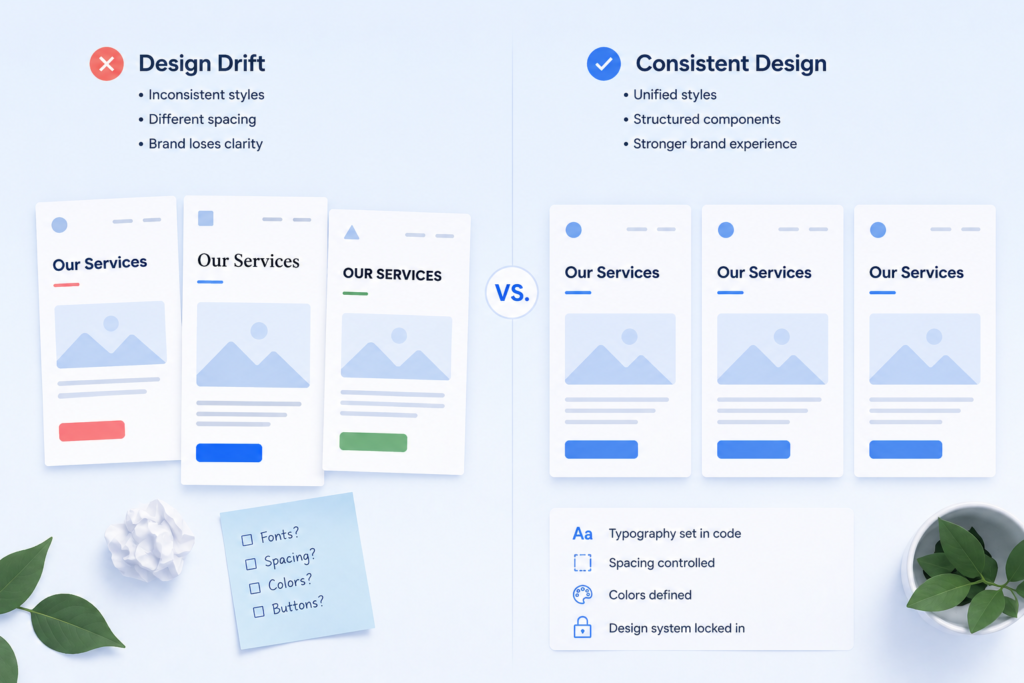
Over time, pages start to look subtly inconsistent. For instance, the services page someone updated in 2023 uses slightly different type sizing than the case study page a contractor built last quarter. Then, new team members make design choices based on what looks right to them. Before you know it, these compounds quietly exist until someone does a content audit and realises the site looks like it was built by different people at different times. Because it was.
Custom themes handle this structurally rather than through policy. Specifically, editors put content into defined fields, and the theme controls how that content renders. That means typography, spacing, and colours live in the code, not in the editor’s hands. So you can’t accidentally drift your brand when the controls that would allow drifting don’t exist in the interface.
For any business with multiple content editors or external contractors touching pages, that structure is worth a lot.
Security Gets Overlooked Until It Isn’t
Every plugin you run on a WordPress site is a potential attack vector. And page builder sites tend to accumulate them, the builder itself, extension packs, compatibility plugins, and ancillary tools for the features the builder can’t handle natively. As a result, that’s a large surface area to keep patched and monitored.
To be fair, Elementor, Divi, and WPBakery have all had critical vulnerabilities over the years that required emergency patches. That’s not unique to them; all software has vulnerabilities. But a site running 14 plugins is harder to keep secure than a custom-built site running four. Why? Because custom themes house core functionality in the theme itself, which reduces the plugin footprint and the number of things that need monitoring.
That’s why security hardening is built into every WPGrit project from the start, with hardened architecture, regular audits, and proactive monitoring through our retainer plans, so threats get caught before they become incidents.
When Page Builders Are Actually the Right Call
Let me be honest, page builders work fine for a meaningful number of situations.
For example, if you’re a freelancer who needs a five-page portfolio site, a page builder is completely reasonable. Similarly, if you’re testing a product landing page and need to iterate quickly without a developer on call, Elementor does the job well. And if your site gets moderate traffic, doesn’t compete in a serious search market, and your team only edits content occasionally, then the complexity of custom development probably isn’t justified.
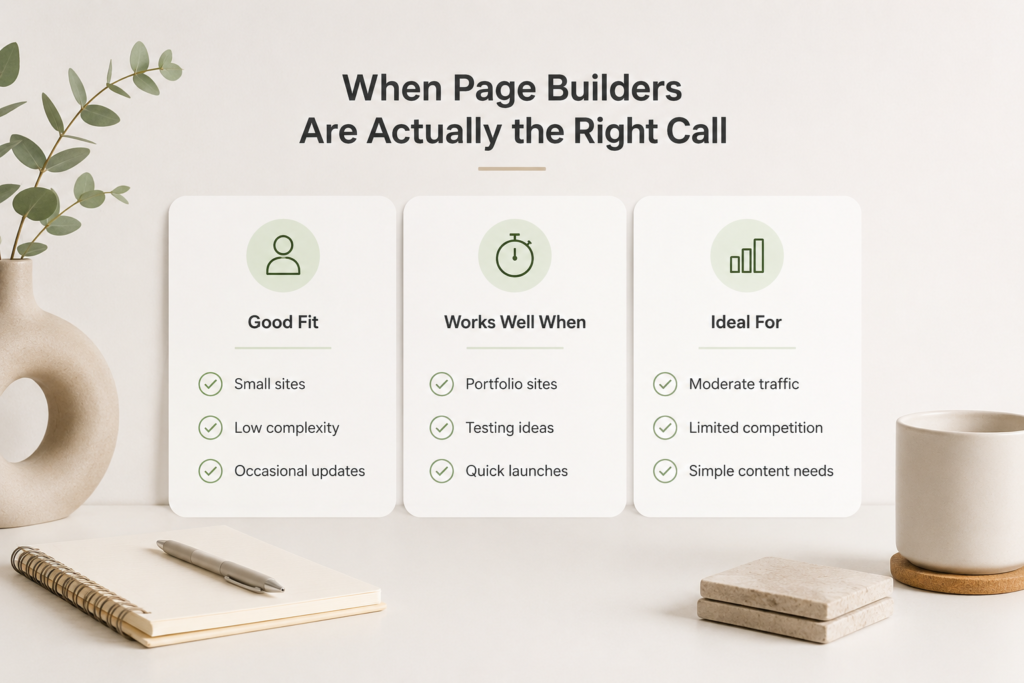
So the mistake isn’t using a page builder in those situations. The real mistake is keeping a page builder as the foundation when your business outgrows those conditions. Once you’re generating real organic traffic, competing for valuable keywords, managing a large content team, or presenting your site to enterprise clients, the trade-offs of a builder-based setup start costing you more than you’re saving.
What the Businesses That Got It Right Actually Did
Mature companies, SaaS platforms, professional services firms, and mid-market operators with significant web traffic almost always end up on custom WordPress eventually. Sure, some planned it that way from the start. But others made the transition after a performance crisis or a catastrophic update. Either way, the direction is consistent.
The ones who started with custom development don’t spend two years accumulating technical debt before arriving at a platform that actually performs. They also don’t have to re-explain to a developer why the site has 11 plugins doing overlapping jobs, and no one remembers which ones are safe to remove.
So the question worth asking before you build isn’t “what’s the cheapest way to get a site live?” Instead, it’s What will this decision cost us in two years?” For businesses where the website is a revenue asset, where it ranks, converts, and represents the brand to people making real purchasing decisions, custom WordPress development answers that question better than any drag-and-drop builder can.
If that’s where you are, WPGrit builds custom WordPress development platforms engineered to perform, scale, and stay clean long after launch.
Frequently Asked Questions
Usually yes, though not overnight. Custom themes produce cleaner HTML, lower page weight, and better Core Web Vitals scores, all of which feed into rankings over time. In fact, most businesses see meaningful organic improvements within three to six months of migrating, especially on mobile, where performance signals carry more weight.
Your actual content, text, images, and other data live in the WordPress database and stay intact. However, what gets rebuilt is the visual layer, since page builder layouts use proprietary structures that don’t transfer cleanly. So a proper migration rebuilds your templates around existing content with SEO monitoring throughout, and as a result, you don’t take a rankings hit during the transition.
Yes, if your site drives leads, processes transactions, or competes for organic search traffic. In that case, the five-year math usually works in favour of custom development once you account for annual plugin costs, developer fixes, performance work, and the rebuild that most builder-based sites eventually require. That said, for simpler sites with modest goals, a well-chosen premium theme can serve adequately.
Not inherently, but they carry more attack surface. Builder plugins are widely used and heavily targeted. On top of that, most page builder sites also accumulate additional plugins over time, each with its own vulnerability history. Therefore, custom themes reduce the plugin footprint significantly, which makes the site easier to harden and simpler to keep patched.


Comments