

If you’ve been publishing WordPress content for a while, you’ve probably come across the term “focus keyword.” Maybe you’ve seen the little colored circles in Yoast SEO change from red to green, or noticed Rank Math nudging you to optimize your post around a primary term. But what does it actually mean to set a focus keyword—and why does it matter so much for your rankings?
This guide breaks it all down. From understanding what focus keywords are, to conducting smart keyword research, to avoiding the mistakes that quietly tank your SEO efforts, you’ll walk away with a clear, actionable strategy for optimizing every post you publish on WordPress.
What Is a Focus Keyword (and Why Does It Matter)?
A focus keyword is the primary search term you want a given page or post to rank for in search engines. Think of it as the anchor of your content—the phrase that defines what the page is about and signals to Google who it should be shown to.
When you set a focus keyword in a plugin like Yoast SEO or Rank Math, the plugin evaluates your content and provides feedback on how well you’ve optimized around that term. It checks things like whether the keyword appears in your title, meta description, first paragraph, subheadings, and image alt text.
Getting this right matters because search engines need context. Google doesn’t just read your content—it tries to understand it. A well-optimized focus keyword tells Google exactly what your page is about, increasing the chances that your post appears when someone searches for that term.
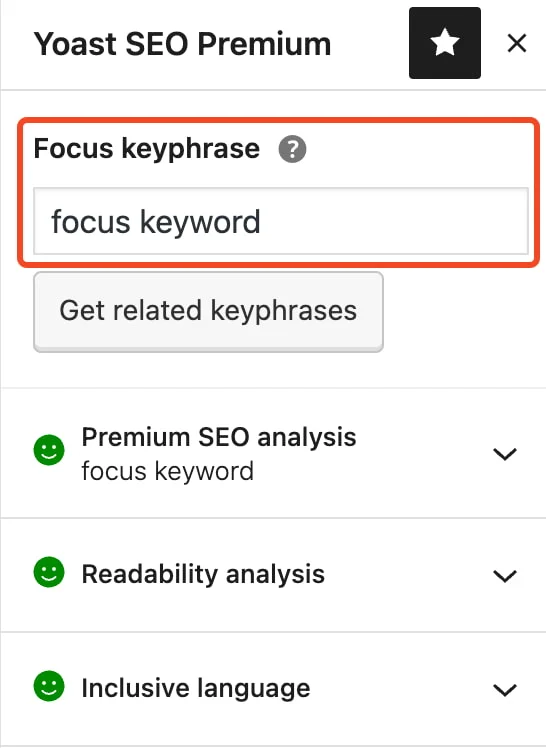
Image Source: Yoast
Focus Keywords vs. Long-Tail Keywords: What’s the Difference?
These two terms often get used interchangeably, but they’re not the same thing.
A focus keyword is the primary term you’re targeting for a specific piece of content. It’s usually shorter and more competitive—for example, “WordPress SEO” or “email marketing.”
A long-tail keyword, on the other hand, is a longer, more specific phrase that typically has lower search volume but higher intent. Examples include “how to set a focus keyword in Yoast SEO” or “best email marketing tools for small businesses.” These phrases attract a narrower audience, but one that’s much more likely to convert.
Here’s the smart move: use a long-tail keyword as your focus keyword. Because long-tail terms are more specific, they’re easier to rank for and tend to draw in readers who are ready to take action. A post targeting “how to do keyword research in WordPress” will face far less competition than one targeting “keyword research.”
The key is choosing a focus keyword that’s specific enough to be winnable, but popular enough to be worth chasing.
How to Conduct Keyword Research for WordPress Content
Good keyword research starts with understanding your audience. What questions are they asking? What problems are they trying to solve? From there, the right tools help you validate and refine your ideas.
Tools Worth Using
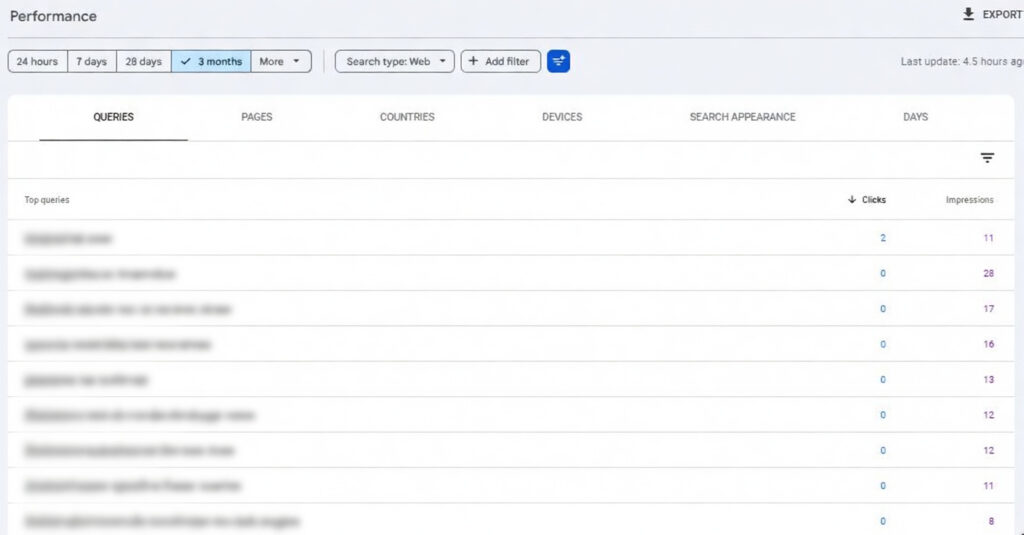
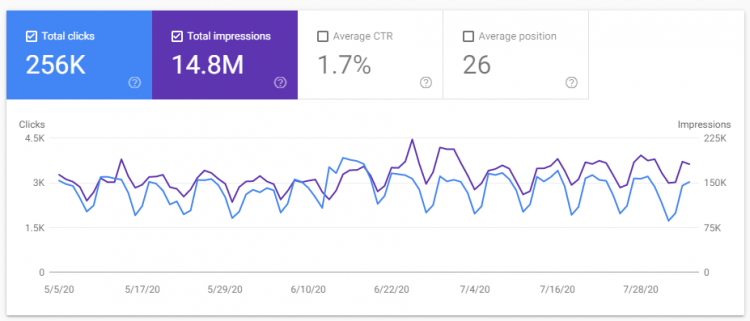
Google Search Console is a free and underrated starting point. It shows you which search queries are already driving traffic to your site, giving you a clear picture of what’s working.
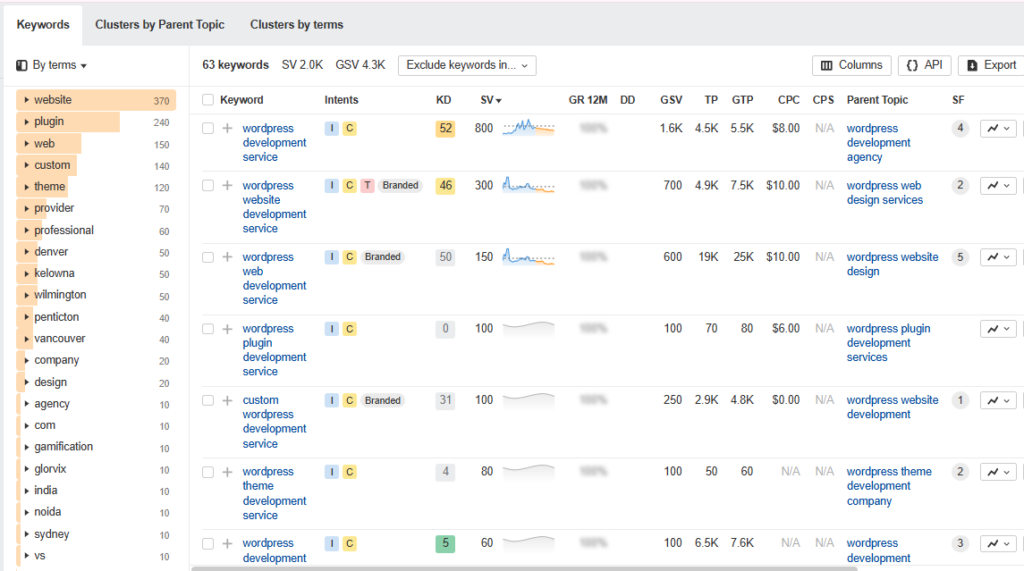
Ahrefs and SEMrush are the gold standard for professional keyword research. Both tools show search volume, keyword difficulty, and related keyword suggestions. They also let you analyze competitor content to find gaps you can fill.
Google Keyword Planner is another free option, though it’s primarily built for paid search. It can still offer useful volume estimates for organic content planning.
Ubersuggest provides a more beginner-friendly interface and is a solid choice if you’re just getting started.
For Development Services, Please Visit: WordPress development solutions
How to Evaluate a Keyword
Once you have a list of potential focus keywords, narrow it down by looking at three things:
- Search volume: How many people are searching for this term each month?
- Keyword difficulty: How competitive is it? A difficulty score of under 40 is generally a good target for newer sites.
- Search intent: Does the keyword match what your content actually delivers? A post answering a “how to” question shouldn’t target a keyword that signals someone wants to buy something.
How to Set a Focus Keyword in Yoast SEO and Rank Math
Once you’ve chosen your focus keyword, the next step is plugging it into your SEO plugin. Here’s how to do it in the two most popular options.
Setting a Focus Keyword in Yoast SEO
- Open your post or page in the WordPress editor.
- Scroll down to the Yoast SEO metabox below the content editor (or open it in the sidebar).
- Click on the SEO tab (the magnifying glass icon).
- Enter your chosen term in the Focus Keyphrase field.
- Review Yoast’s feedback. You’ll see a breakdown of where your keyword appears—and where it’s missing.
Yoast scores your optimization across several checks: keyphrase in the title, meta description, introduction, subheadings, and image alt attributes. Aim for a green overall score, but don’t obsess over it—quality content that genuinely serves your reader will always outperform content that’s been written purely to satisfy an algorithm.
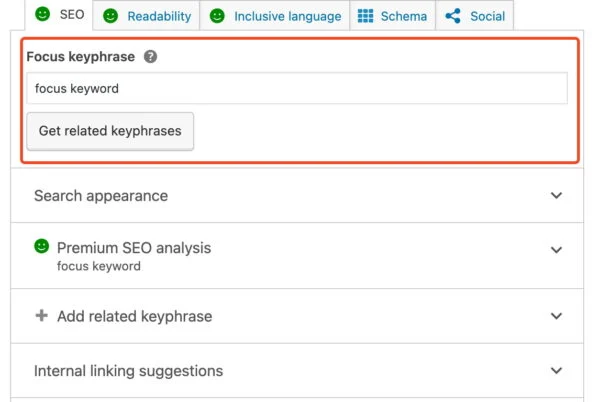
Image Source: Yoast
Setting a Focus Keyword in Rank Math
- Open your post in the WordPress editor.
- Click the Rank Math icon in the top-right corner of the screen.
- Under the General tab, find the Focus Keyword field.
- Type in your primary keyword and press Enter.
- Rank Math will generate an SEO score out of 100, with a checklist of improvements.
Rank Math also lets you add secondary keywords, which is useful if your content naturally covers related terms. This can help your post rank for multiple queries without any extra effort.
Best Practices for Optimizing Your Content
Setting a focus keyword is just the beginning. Here’s how to build your content strategy around it effectively.
Place the Keyword Strategically
Your focus keyword should appear in the following locations:
- Page title (H1): Ideally toward the beginning of the title.
- Meta title and description: This affects click-through rates as much as rankings.
- First 100–150 words: Search engines give extra weight to content that appears early on the page.
- At least one H2 subheading: This reinforces topical relevance.
- Image alt text: Helps with both accessibility and image search rankings.
- URL slug: Keep it short and keyword-rich (e.g.,
/focus-keywords-wordpress).
Don’t Stuff—Distribute
Keyword density is not a metric worth obsessing over. Repeating your focus keyword every other sentence doesn’t help rankings—it hurts readability and can flag your content as spammy. Instead, use natural variations and synonyms. Google is sophisticated enough to understand semantic meaning, so a post about “focus keywords WordPress” doesn’t need to repeat that exact phrase 20 times.
Prioritize Content Quality
No amount of keyword optimization compensates for thin, unhelpful content. Google’s Helpful Content guidelines specifically reward pages that demonstrate expertise, offer genuine value, and satisfy the user’s intent. Write for your reader first, then optimize for search engines second.
Common Keyword Mistakes to Avoid
Even experienced WordPress publishers make these errors. Here’s what to watch out for.
Targeting keywords that are too broad: “SEO” and “marketing” are nearly impossible to rank for unless you have an established, high-authority domain. Narrow your focus.
Choosing keywords based on volume alone: High search volume doesn’t always mean high value. A keyword with 500 monthly searches and clear purchase intent can outperform one with 10,000 searches and vague intent.
Keyword cannibalization: This happens when two or more of your posts target the same focus keyword. Search engines don’t know which page to rank, so neither performs well. Audit your content regularly and consolidate or differentiate where necessary.
Ignoring search intent: A blog post targeting “best CRM software” needs to be a comparison or recommendation piece—not a product page. Misaligning content format with intent leads to poor rankings and high bounce rates.
Set and forget: SEO isn’t a one-time task. Keywords shift in popularity, new competitors enter the space, and Google’s algorithm evolves. Update older content periodically to keep it competitive.
Track Your Keyword Rankings and Keep Improving
Publishing optimized content is only half the battle. You also need to monitor performance and adjust your strategy based on real data.
Google Search Console should be your first port of call. Under the Performance tab, you can see exactly which queries your pages rank for, how often they appear in search results (impressions), and how often users actually click through. If a page has high impressions but a low click-through rate, your meta title or description likely needs work.
Ahrefs and SEMrush both offer rank tracking tools that let you monitor specific keywords over time. Set up a project for your domain and track your priority focus keywords week by week.
Monthly content audits are a habit worth building. Review posts that are slipping in rankings, update outdated information, and look for opportunities to add internal links from newer, high-performing content to older posts that need a boost.
Build Your WordPress SEO Strategy One Keyword at a Time
Focus keywords are the foundation of any effective WordPress SEO strategy. Choose them with intent, use them with care, and back them up with genuinely useful content—and the rankings will follow.
Start by auditing your existing posts. Do they each have a clearly defined focus keyword? Are they accidentally competing with each other? Fixing those issues alone can move the needle significantly.
From there, build a keyword map—a spreadsheet that assigns one unique focus keyword to every page and post on your site. This keeps your content organized, prevents cannibalization, and gives you a clear picture of which topics you’ve covered and which you haven’t.
SEO rewards consistency. Small, deliberate improvements across your content library compound over time into real, measurable growth.
For Development Services, Please Visit: WordPress Development Services




Comments