

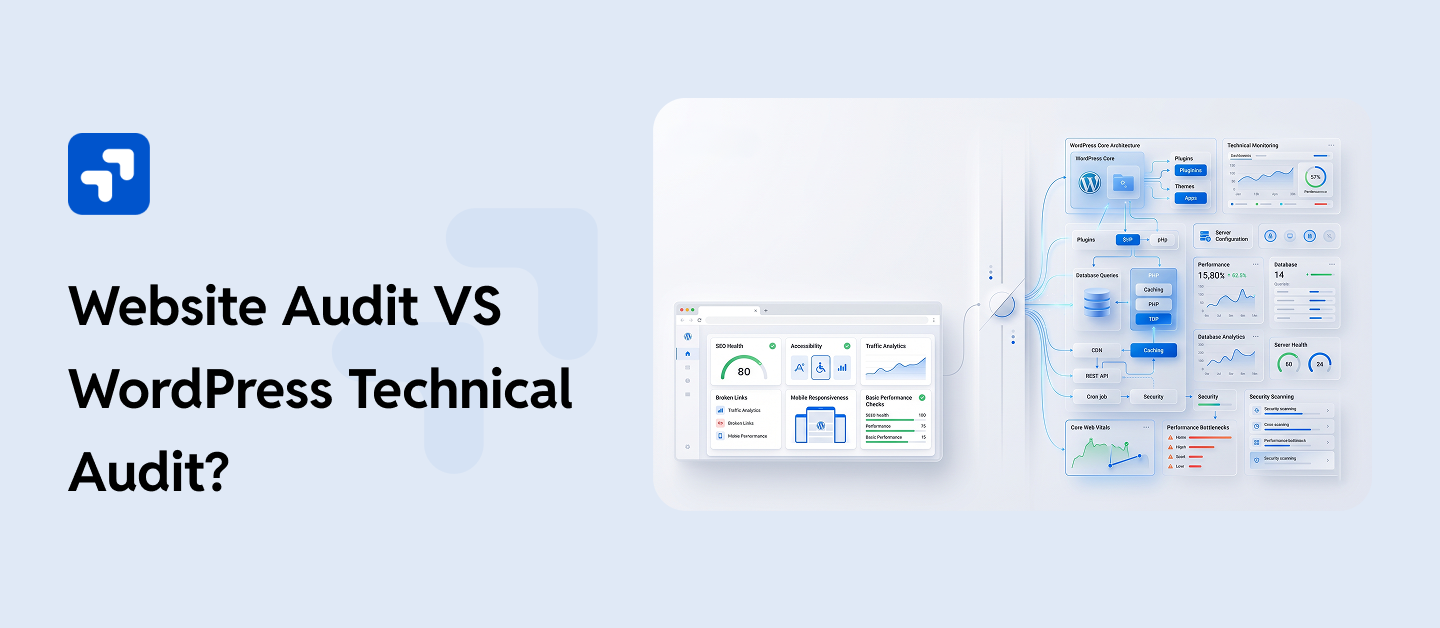
If your site runs on WordPress, that gap matters. A regular website audit and a WordPress technical audit aren’t the same service wearing different names. They look at completely different layers of your site, and mixing them up usually means paying for the wrong thing.
Let’s get into what actually separates them, and how to know which one your site is due for.
Table of Contents:
- Website Audit VS WordPress Technical Audit?
- What a Standard Website Audit Actually Looks At
- What a Technical Audit Actually Gets Into
- 3.1 Website Audit vs. WordPress Technical Audit, Side by Side
- Why WordPress Needs Its Own Kind of Audit
- Behind the Scenes of a WordPress SEO Audit:
- Signs You’re Overdue for a Technical Audit
- 6.1 Why This Actually Matters
- How WPGrit Approaches a WordPress Audit
- The Real Cost of Skipping a Technical Audit
- DIY Audit Tools vs. Hiring a WordPress Specialist
- What Happens After Your WordPress Audit Is Complete
- Frequently Asked Questions:
What a Standard Website Audit Actually Looks At
You can run this general website audit on almost any site out there: Shopify, Wix, Webflow, custom code, WordPress- it handles them all without breaking a sweat.
These normal audits usually check:
- Title tags, meta descriptions, and header structure
- Broken links and 404s
- Mobile responsiveness
- A speed score, usually pulled straight from PageSpeed Insights or GTmetrix
- Content and keyword coverage
- Backlinks
They can’t detect technical things like a tool scanning your homepage has no way of knowing that one plugin is firing forty extra database queries per page load, or that your theme is quietly loading three copies of jQuery, or that an old, forgotten plugin has been sitting on your server for two years as an open door for anyone looking to exploit it. Generic tools can’t catch any of that, so a technical audit steps in to handle the heavy lifting, and it goes far deeper than most other audits out there. They read the outside of the house, but can’t see the problems in the wiring behind the walls.
What a Technical Audit Actually Gets Into
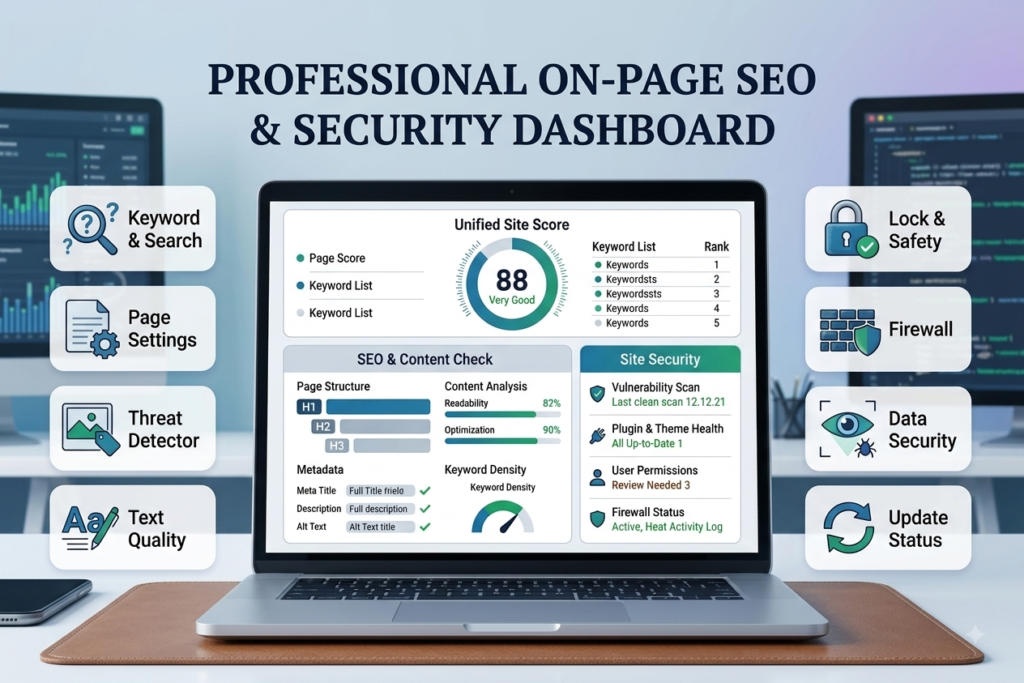
A WordPress technical audit starts where generic scans stop, because they can’t detect technical issues. A technical audit looks at core files, database structure, plugin behavior, theme code, and server setup, and then examines how all of that works together in practice.
A regular audit will tell you the house has a draft somewhere. A technical audit tells you which window frame warped, why it happened, and what it’ll cost to actually fix it, instead of just shoving a towel under the door and calling it solved.
At WPGrit, when we run a WordPress website audit, we’re really looking at four things.
- Architecture.
- Security
- Accessibility
- Technical SEO
First, we look at the architecture: that how the developers actually put the site together under the hood. Database health, plugin structure, how clean the theme’s code actually is, and whether the current setup can handle real growth or whether it’s one traffic spike away from falling over.
Second, security and risk: This is where a WordPress security audit does its job, hunting down outdated plugins, abandoned themes nobody’s patched in years, weak user permissions, exposed files, and the kind of quiet vulnerabilities that don’t announce themselves until someone’s already gotten in.
Third, accessibility: Can someone using a screen reader or navigating by keyboard actually use your site? People constantly overlook this, but they really shouldn’t, because it impacts real users, and these days, it also ties directly into compliance.
And fourth, technical SEO: Crawlability, indexing, structured data, rendering, the deeper mechanical stuff that a plugin like Yoast simply isn’t built to catch on its own.
It takes someone who’s spent actual time working inside WordPress core, not someone running your URL through a free tool and printing the output.
Website Audit vs. WordPress Technical Audit, Side by Side
| Factor | General Website Audit | WordPress Technical Audit |
| Platform focus | Works across any CMS or website builder | Built around WordPress core, plugins, and themes specifically |
| Depth | Surface checks like meta tags, broken links, and a speed score | Deep look at database, code, architecture, and server setup |
| Security scope | Basic malware or blacklist scan | Full WordPress security audit covering plugin risk, permissions, exposed files |
| Speed diagnosis | Gives you a number | Finds the actual query, plugin, or file slowing things down |
| SEO scope | On-page basics | Full WordPress technical seo audit: crawlability, indexing, schema, rendering |
| Built by | General SEO or website audit tools | People who work inside WordPress code day to day |
| Best for | A quick check on any type of site | Any business whose revenue depends on WordPress actually working |
If leads, sales, or readership run through your WordPress site, the technical audit isn’t optional polish. It’s what actually protects the thing you built your business on.
Why WordPress Needs Its Own Kind of Audit
WordPress is an open system: thousands of plugins, thousands of themes, and endless combinations of hosting setups underneath. That openness is WordPress’s biggest strength. It’s also where things quietly go wrong if nobody’s paying attention.
A few reasons WordPress sites run into trouble that a generic audit simply won’t catch:
Plugin bloat builds up over years. Sites accumulate tools nobody remembers installing; some get abandoned by their developers, others start conflicting with each other in ways that only show up when a form stops submitting, or checkout breaks for no obvious reason.
Theme code quality varies wildly. Some themes are lean and well-built. Others load scripts and styles on every page regardless of whether that page needs them, dragging load time down for no real benefit.
Databases bloat quietly too; years of post revisions, spam comments, and leftover transient data can pile up until every query running against that database slows down just a little more. And update schedules rarely line up. Core, themes, and plugins all update on their own timelines, and one unpatched item anywhere in that chain is an open invitation for trouble.
None of it shows up in a surface scan. That’s the whole reason a professional WordPress website audit is worth paying for instead of running a free tool and calling it done.
Behind the Scenes of a WordPress SEO Audit:
If you’re wondering how to conduct a technical SEO audit on WordPress, or you just want to know what a good WordPress maintenance and support agency should actually be doing behind the scenes, here’s roughly how it plays out.
It starts with a crawl and indexing check, making sure search engines can actually reach and read your pages. That means going through robots.txt, the XML sitemap, canonical tags, and pulling up Google Search Console to see if crawl errors or manual actions are sitting unresolved.
From there, it moves into Core Web Vitals and speed diagnostics. Instead of glancing at a score and moving on, a real WordPress website speed audit traces the actual cause: unoptimized images, scripts blocking render, a caching setup that isn’t configured properly, or a database straining under queries it shouldn’t need to run.
Next comes a plugin and theme review. Every active plugin is checked to see whether it’s still maintained or dormant, whether it has known vulnerabilities, and, honestly, whether it’s still needed at all.
Then: security passes, file permissions, login security, user roles, exposed config files, and whether backups are actually running and restorable. That final point gets brushed aside way more than you’d think, and most folks don’t catch it until it’s already caused problems.
On-page elements and structured data get reviewed too: title tags, header hierarchy, internal linking, schema markup, alt text on images, checked against what’s currently working in search.
Mobile rendering and accessibility get checked given how much traffic now arrives on a phone, confirming the site holds up across devices and meets basic accessibility expectations.
That last part is really what separates a useful audit from one that just hands you a list of problems and walks away.
Signs You’re Overdue for a Technical Audit
You don’t need a crisis to justify one, but a few signs make it more urgent than “someday”:
- Load times have crept up, and nobody’s sure why
- Rankings dropped, and there’s no obvious explanation
- You’ve been hacked before, or an update once broke something important
- A migration, redesign, or scale-up is coming
If two or more of those ring a bell, I’d recommend getting a proper WordPress site audit before those small hiccups snowball into costly headaches.
Why This Actually Matters
Here’s what people often miss: a slow, insecure, or poorly built WordPress site doesn’t just hurt your rankings; it costs you so much more. It costs conversions the moment someone hits a broken page and leaves. It costs trust. And if a vulnerability ever does get exploited, it can cost a lot more than that. A specialist-led SEO audit protects the revenue your site already generates, and paves the way for the opportunities you haven’t captured yet.
Generic tools flag symptoms, but can’t diagnose why those symptoms are happening. That takes someone who truly understands how WordPress works under the hood, how it usually breaks, and how to fix it without accidentally creating three new headaches along the way.
How WPGrit Approaches a WordPress Audit
Our WordPress website audit service isn’t a one-size-fits-all checklist. We cover architecture, security and risk, accessibility readiness, and technical SEO the four areas that genuinely determine whether a site is stable, safe, and built to grow instead of held together by hope.
Every audit ends with a clear, prioritized plan, so you know what needs attention this week, what can wait a quarter, and what’s already fine. Whether you’re dealing with a sluggish site, recovering from a security scare, or getting ready for a bigger migration, our team has spent years working inside WordPress core, themes, and plugin architecture, not just running your homepage through a free scanner and calling it an audit.
If it’s been a while since your site had a real technical review, that’s usually the clearest sign it’s due for one.
The Real Cost of Skipping a Technical Audit
It’s easy to treat an audit as an expense you can put off until things get bad enough to justify it. In practice, that thinking usually costs more than the audit itself would have.
Take page speed. Every extra second a page takes to load pushes visitors toward the back button, and on an eCommerce site, that’s abandoned carts you never even see in your analytics because the person never got far enough to start checkout. Slow, unoptimized sites also tend to rank lower, which means less organic traffic finding you in the first place.
Security is the more dramatic version of the same problem. Don’t underestimate one outdated plugin; it’s the difference between business as usual and a malware-infected, Google-blacklisted site that’s down while you race to recover it. Recovering from that mess will cost you way more than a scheduled audit ever would; you’ll burn through developer hours, lose customer trust, and even after you clean the site, you could wait weeks for search engines to fully remove that blacklist flag.
Then there’s the slower, less obvious cost: technical debt. A site that’s never been properly audited tends to accumulate small problems that compound. A messy database here, an outdated plugin there, a theme nobody’s reviewed in three years. None of it breaks the site outright, but eventually you’re paying a developer to untangle years of neglect instead of paying for routine maintenance that would have caught each issue while it was still small and cheap to fix.
An audit isn’t really an added cost. It’s the thing that keeps small, manageable problems from turning into expensive emergencies.
DIY Audit Tools vs. Hiring a WordPress Specialist
Most site owners try the free tools like Google PageSpeed Insights, Yoast SEO, and Wordfence, which are genuinely useful, and there’s no reason not to run them. The question is what they miss, because it’s more than people expect.
PageSpeed Insights will tell you your Largest Contentful Paint is too slow. What it won’t tell you is which specific plugin, database query, or unoptimized asset is actually causing the delay, or how to fix it without breaking something else on the page. It hands you a symptom and leaves the diagnosis to you.
Yoast and similar SEO plugins are solid for on-page basics, title tags, meta descriptions, and readability checks. But they have no visibility into deeper technical SEO issues like rendering problems, crawl budget waste, or structured data errors buried in your theme’s template files. Those live below what a plugin can see from inside WordPress’s admin panel.
Security plugins like Wordfence catch known malware signatures and obvious attack attempts, which matters, but they’re reactive by nature. They flag threats after certain patterns appear. They don’t check your user roles for bloated permissions, examine your file structure for exposed config files, or spot a vulnerability in a plugin that’s too obscure for the official database to have flagged yet.
What Happens After Your WordPress Audit Is Complete
At WPGrit, once the technical review wraps up, you get a report broken into what’s urgent, what’s important but not urgent, and what’s worth keeping an eye on. That distinction matters more than people expect going in; not every issue needs fixing this week, and knowing the difference saves you from either panicking over something minor or ignoring something that genuinely needs attention now.
From there, the conversation shifts to what actually makes sense for your site and your budget. Some businesses want everything addressed at once, especially if they’re heading into a busy season or a planned redesign. Others prefer to knock out the highest-priority items first and handle the rest over the following months. Both are reasonable approaches, and a good audit gives you enough clarity to choose confidently instead of guessing.
If ongoing support makes sense, that’s usually also the point where a retainer relationship comes up, so the same team that found the issues can implement the fixes and keep monitoring the site going forward rather than handing you a list and disappearing. The goal isn’t just identifying what’s wrong. It’s making sure you leave the process with an actual plan, and ideally a partner who can help you execute it.
Frequently Asked Questions:
A general website audit checks surface-level SEO and usability factors that apply to pretty much any platform. A WordPress technical audit digs into WordPress-specific issues, plugin conflicts, database health, theme code, core vulnerabilities- things only someone familiar with how WordPress actually works would catch.
Once a year at minimum, and definitely after a major migration, redesign, or plugin overhaul. If your site handles sensitive data or heavy traffic, twice a year is the safer call.
Yes. Fixing crawl issues, indexing problems, slow load times, and structured data errors clears out obstacles that are often quietly holding rankings down, even when the content itself is solid.
Yes, honestly, especially then. Most vulnerabilities sit unnoticed until someone finds and uses them. A WordPress security audit catches outdated plugins, weak permissions, and exposed files before they turn into an actual breach, not after.
No. A properly run audit is non-intrusive; it’s meant to assess the site without interrupting how it normally runs, so visitors won’t notice anything happening behind the scenes.
Depends on the size and complexity of the site, but most take anywhere from a few days to a couple of weeks, followed by a report and a clear plan for what comes next. on the size and complexity of the site, but most take anywhere from a few days to a couple of weeks, followed by a report and a clear plan for what comes next.


Comments