

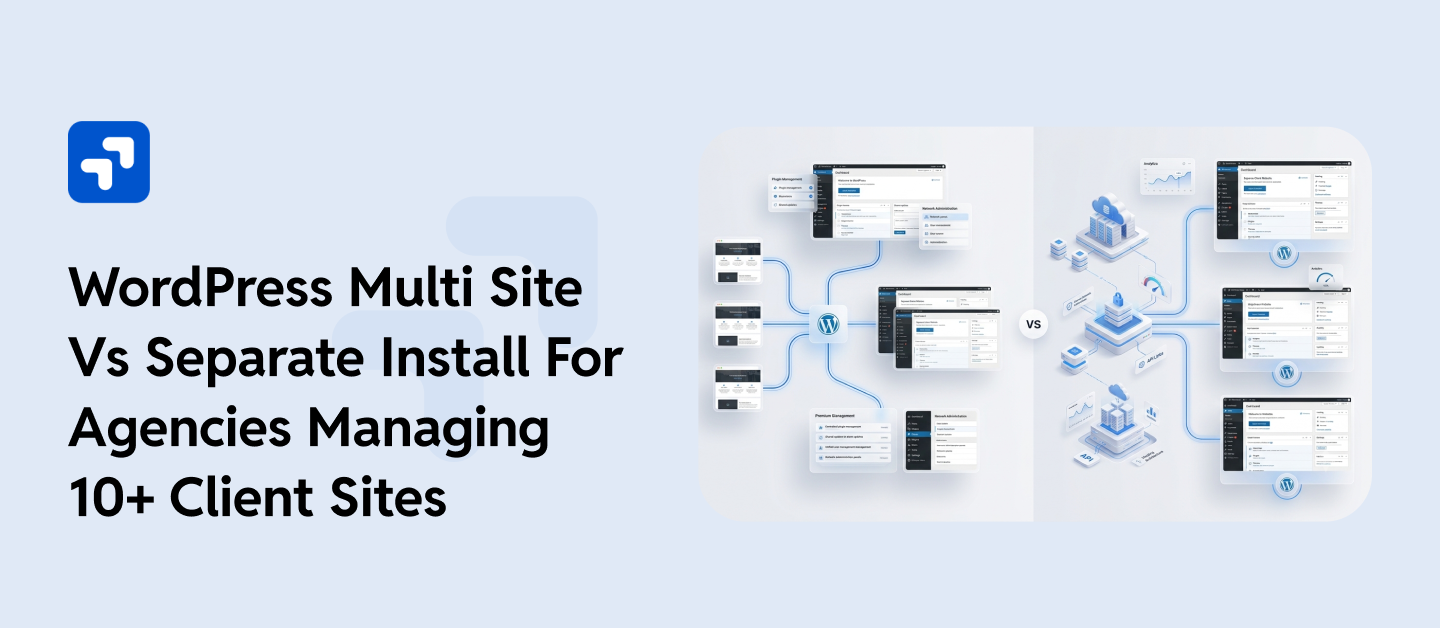
WordPress Multisite vs Separate Installs isn’t a debate with a universal winner. Both approaches solve real problems, but both create new ones. Multisite runs multiple websites from a single WordPress installation, sharing the same core files, database, and hosting resources, with plugin management controlled network-wide by a Super Admin. Individual site admins work within the permissions that the network admin sets, which is a double-edged sword depending on how much independence your clients expect.
Separate installs, on the other hand, give every client their own environment entirely. Their own WordPress core, their own database, their own update schedule. That isolation is a real advantage when a broken plugin on one site has no business affecting another. It also means more maintenance overhead, more login credentials, and more time spent on tasks that feel nearly identical across dozens of properties.
For smaller portfolios, this choice rarely feels urgent. But once you cross into double-digit client management, the architecture decision starts carrying real weight. Site performance, security exposure, billing structures, and even client contracts can shift depending on which setup you’re running. This article is an honest breakdown of WordPress Multisite vs Separate Installs, covering performance, security, scalability, cost, and the edge cases that most comparison guides quietly skip.
Table of Contents:
- WordPress Multisite vs Separate Installs for Agencies Managing 10+ Client Sites
- What WordPress Multisite Really Does
- 2.1 Where Multisite Starts Becoming Difficult
- How Separate WordPress Installs Work
- Where Separate WordPress Installs Start Becoming Difficult
- Side-by-Side: The Factors That Actually Matter
- Where Agencies Usually Go Wrong
- Security — The Variable Most Agencies Underweigh
- So, Which Option Is Better?
- Where WPGrit Fits Into This
- Frequently Asked Questions
- Is Multisite genuinely less secure than separate installs, or is that overstated?
- At what client volume should an agency seriously reconsider its current WordPress architecture?
What WordPress Multisite Really Does
WordPress Multisite allows multiple websites to run from one WordPress installation. Instead of maintaining separate WordPress cores across dozens of websites, agencies manage one shared environment. However, the websites still share the same WordPress core system underneath. That shared structure changes how updates, plugins, user permissions, and hosting resources work across the network.
If you’re managing a portfolio where sites genuinely share the same architecture, theme, plugin stack, design system, and functional requirements, Multisite delivers on it. That isolation is undervalued until something breaks. Manage SSL, backups, and monitoring at the network level without touching each site individually.
Each website can still have:
- A separate domain
- Different content
- Unique users
- Its own theme
- Independent settings
The agencies that use Multisite most effectively are usually running it for a single client with many locations (franchise brands, retail chains, regional offices) or for a media publisher running topic-specific properties on subdomains. In those situations, the homogeneity of the sites is what makes Multisite sensible. On the other hand, Multisite gets tricky when your portfolio has a lot of variety, and most agencies manage all kinds of different sites. WordPress Multisite vs Separate Installs is a debate most agency owners push aside until the number of client sites quietly becomes unmanageable.
Where Multisite Starts Becoming Difficult
WordPress stores per-site data in prefixed tables: wp_2_posts, wp_2_options, wp_3_posts, and so on. This structure works at a small scale, but as the network grows, the database bottlenecks, especially with heavy option table usage. Some caching plugins and server setups help, but you’ll need to address it eventually. Multisite doesn’t solve this for you.
Plugin compatibility is a recurring pain, just because the plugin ecosystem is built for single-site installs. Plugins untested against Multisite often misbehave, but are subtly flawed. Some plugins flag a lack of Multisite support; many don’t, which creates hidden issues.
Permissions are less flexible than they seem. If a client needs to install plugins, adjust server config, or control hosting, they’ll hit limits in Multisite. You can extend permissions with code, but you’re customizing for a capability that comes standard in separate installs.
That said, WordPress Multisite vs Separate Installs is not a one-size-fits-all decision; your hosting environment alone can tip it either way.
How Separate WordPress Installs Work
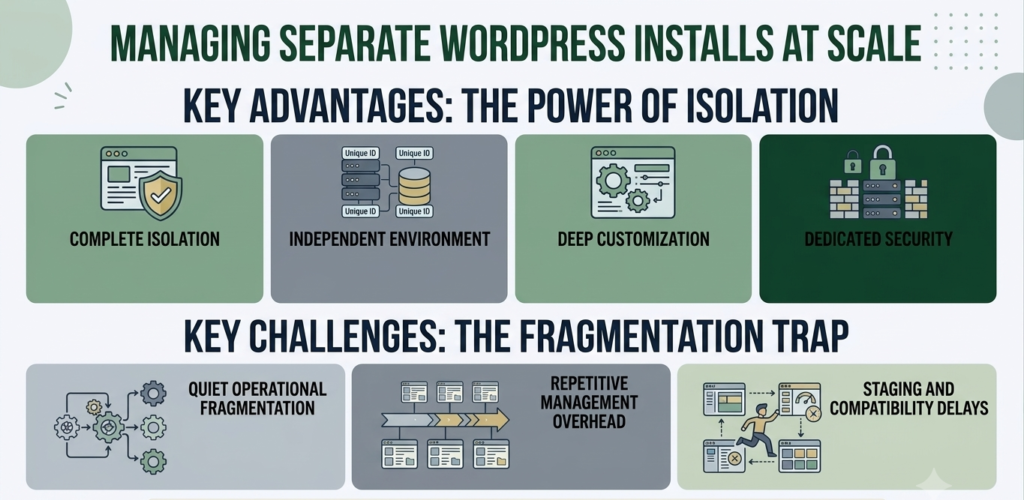
Separate installs keep every website isolated. Separate installs get dismissed too quickly because management overhead sounds intimidating at scale. Each site acts independently, so plugin conflicts, compromised sites, or server issues stay contained. The risk strikes one client, not the whole portfolio. Each client site has:
- Its own WordPress core
- Separate database
- Independent hosting environment
- Individual plugin ecosystem
- Dedicated security layer
This is the traditional setup most agencies start with because it feels straightforward and flexible.
A developer can customize one website without worrying about how the change affects another client. That freedom becomes valuable once projects become technically demanding.
Agencies managing WooCommerce stores, custom API integrations, or advanced marketing systems often prefer this structure because it allows deeper control over performance and infrastructure. Managing dozens of separate WordPress environments manually becomes time-consuming very quickly. In my experience, people don’t realize how valuable that isolation is until something breaks.
Separate installs provide true flexibility. Different PHP versions, server configurations, caching strategies, hosting providers- whatever a client needs. Right-size every environment. A simple brochure site differs from a busy WooCommerce store, and separate installs let you treat them differently.
Where Separate WordPress Installs Start Becoming Difficult
Separate installs give agencies flexibility, isolation, and cleaner client separation, but the problem is that operational complexity grows quietly in the background. At five websites, separate installs feel manageable. At fifteen or twenty, the maintenance layer changes completely. Every website develops its own environment over time. Different plugin versions, different hosting setups, different PHP requirements, different caching behavior. What started as flexibility slowly becomes fragmentation.
A plugin update that takes five minutes on one website turns into hours when repeated across dozens of client environments. Backups, uptime alerts, malware scans, SSL renewals, plugin licensing, and security reviews all happen independently unless the agency builds centralized processes around them. Without proper tooling, teams end up jumping between dashboards constantly. Some sites cannot update immediately because of compatibility concerns. Others require staging tests before deployment. Eventually, routine maintenance becomes a recurring operational task instead of a quick checklist.
This is why agencies managing separate installs successfully usually invest in management tooling early. Platforms like MainWP, ManageWP, or custom deployment systems reduce much of the repetitive overhead. Without them, scaling separate installs becomes difficult faster than most teams expect.
Side-by-Side: The Factors That Actually Matter
| Factor | WordPress Multisite | Separate Installs |
| Update management | One push, network-wide | Requires tooling, then comparable |
| Client isolation | None, shared everything | Complete — fully independent |
| Plugin flexibility | Network-controlled, limited per-site | Full autonomy per site |
| Custom server config | Not practical per subsite | Standard per environment |
| Security exposure | One breach, whole network at risk | Contained per install |
| WooCommerce support | Problematic, not recommended | Fully supported |
| Database performance | Degrades with scale | Scales per environment |
| Compliance/data isolation | Not suitable | Appropriate |
| New site onboarding | Fast when architecture matches | More setup time initially |
| Client portal/login access | Shared admin, restricted | Independent admin per site |
| Hosting cost efficiency | Lower at a small scale | Right-sized per client needs |
| Best suited for | Homogeneous networks | Mixed client portfolios |
Where Agencies Usually Go Wrong
WordPress Multisite vs Separate Installs is a debate most agency owners push aside until the number of client sites quietly becomes unmanageable.
An agency hears “one dashboard to manage everything” and opts for Multisite, without fully thinking through the fact that half their clients have different plugin requirements, two run WooCommerce stores, and three are in industries where data separation is expected. Six months later, per-subsite customizations undercut every efficiency Multisite was supposed to provide.
The reverse happens too. Teams write off Multisite entirely because they’ve heard cautionary stories, then spend time managing things manually that could be centralized, especially when they’re running a network of structurally similar sites. Neither architecture is universally optimal. Each suits a different portfolio. The mistake is skipping analysis.
Security — The Variable Most Agencies Underweigh
Every subsite in Multisite shares the attack surface. One vulnerable plugin means a risk for the whole network. A compromised admin can affect every site.
With separate installs, a compromised site only hits one client. The rest of the portfolio stays secure. For agencies with clients facing reputational or regulatory risk, containment matters.
WPGrit works with agencies to evaluate, design, and build WordPress infrastructure that holds up under real portfolio pressure, not just at initial launch. No templates, no assumptions. Just a genuine look at what your setup actually needs. For agencies managing multiple WordPress sites, WordPress security risk management can help identify vulnerabilities, reduce security exposure, and strengthen protection across client environments.
So, Which Option Is Better?
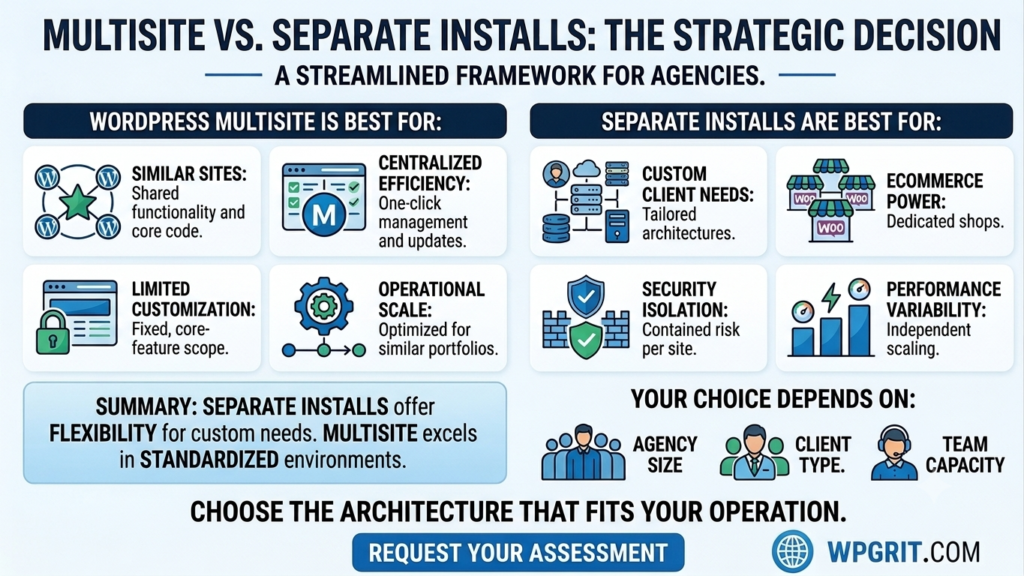
WordPress Multisite works well when:
- Websites share similar functionality.
- Centralized management is important.
- Customization needs remain limited.
- Operational efficiency matters most.
Separate installs usually work better when:
- Clients require custom infrastructure.
- WooCommerce powers multiple websites.
- Security isolation matters.
- Performance requirements vary heavily.
- Long-term flexibility is important.
For many growing agencies, the safer recommendation is to use separate installs, given their flexibility and containment advantages. Multisite remains valuable in standardized environments where operational efficiency outweighs deep customization needs.
Ultimately, the right answer to WordPress Multisite vs Separate Installs depends on agency size, client type, and the honest capacity of your support team. The best choice directly matches your agency’s scaling needs and client requirements. Multisite is ideal for portfolios built for it. Separate installs succeed when managed with proper tools. The gap is closing. Choose the architecture that fits your actual clients and operational needs. Honest portfolio assessment is essential.
Where WPGrit Fits Into This
WPGrit works with agencies that have moved past the point where off-the-shelf solutions and general blog advice are enough. We help design WordPress infrastructure that fits the actual portfolio, build the management tooling and deployment systems around it, and stick around as an engineering partner when things evolve because they always do.
If your current setup shows its limits, start thinking about the next step. Solving architectural problems early saves money compared to fixing them after doubling the portfolio.
Frequently Asked Questions
The security risk with Multisite is real, not overstated, but it’s also specific. The core concern is that all subsites share a single installation. A plugin vulnerability on any subsite, if exploited, can potentially affect the entire network, depending on where the vulnerability lives and how permissions are configured. Super Admin access is particularly sensitive; it controls the entire network, not just one site. With separate installs, the risk is contained by default. A compromised install is a problem for one client. Securing a Multisite network properly means tighter plugin governance, more rigorous access control, faster patching cycles, and ideally a web application firewall at the network level.
There’s no universal threshold, but ten to fifteen sites is usually when the cracks start showing in whatever was set up early on. At that point, manual management becomes genuinely time-consuming, and whatever shortcut was made in the original architecture starts having compounding effects. A more meaningful trigger than a site count is a change in portfolio composition, adding a WooCommerce client, taking on an enterprise contract with compliance requirements, or landing a franchise brand with a network of locations. Any of those shifts can make the current architecture wrong in ways that weren’t true six months earlier.


Comments