

When searching for the best WordPress development company, you’re not just picking “someone who knows WordPress.” You’re picking a team that will either simplify your next 12–24 months of web work or quietly make it harder.
So yes, look at experience, client testimonials, and portfolio diversity. But also look for how they work: discovery, technical planning, QA, launch, and post-launch support.
Understanding WordPress Development Services
In 2026, the landscape of WordPress web development is evolving with trends such as headless WordPress, enhanced security protocols, and intuitive user interfaces. This evolution means businesses need to stay updated with the latest technologies. By hiring a professional development agency, you ensure that your website is built on modern frameworks that enhance speed and security.
What “services” should include (in plain English) depends on your goals. But I’d expect a real WordPress development package to cover more than building templates.
Discovery that doesn’t waste your time
A decent discovery phase feels like therapy for your website annoying, but clarifying.
You want them to get specific about:
- Primary conversions (lead, sale, booking, signup)
- Top pages that drive revenue (not just traffic)
- Content model (what types of pages/posts you need)
- Integrations (CRM, email, payments, analytics, bookings)
- Editor experience (who updates what, how often, and how technical they are)
If discovery is just “send us three sites you like,” you’re probably heading toward a generic build.
UX, blocks, and editor usability
A lot of WordPress projects fail quietly after launch because the editor experience is miserable. So, the best teams design for the people who will maintain the site, not just the visitors.
In practice, that means:
- Reusable block patterns instead of one-off page builder soup
- Guardrails (so editors can’t accidentally nuke spacing, typography, or accessibility)
- Thoughtful templates for common pages: services, location pages, case studies, product pages
It also means someone has to say “no” to a few shiny layout ideas, because otherwise you end up with 40 slightly different components and nobody can keep it consistent.
Performance and technical SEO baked in
Moreover, professional agencies understand the nuances of search engine optimization (SEO) and can implement strategies during the development phase. This approach is crucial as search engines continually update their algorithms. A partner offering WordPress development services like WPGrit can deliver tailored solutions that support business growth while reducing maintenance challenges and improving website performance.
5.6 Sol
When an agency takes SEO seriously during development, you’ll see it in small but important choices:
- Clean URL structures and redirects planned before launch
- Schema where it actually matters (not sprayed everywhere)
- Sensible heading hierarchy and template-level accessibility checks
- Image optimization pipelines and lazy-loading that doesn’t break UX
And yes, they should coordinate with whoever owns your content strategy, because technical SEO can’t rescue thin pages.
QA and launch discipline
Here’s the messy part agencies don’t always advertise: most launch-day problems come from missing QA, not “hard development.”
A solid launch checklist usually includes:
- Staging environment and a rehearsed deployment
- Browser/device testing (at least iOS Safari + Chrome Android)
- Form tests end-to-end (including CRM/email delivery)
- 404/redirect pass, especially if you changed URLs
- Performance checks on representative pages (homepage isn’t enough)
I’ve watched teams lose weeks because they skipped a simple redirect map. Traffic tanks, sales dip, and everyone blames “Google.” It’s rarely Google.
Where Development Agencies Differ in 2026
In 2026, agencies tend to cluster into a few real archetypes. None is inherently “right,” but one will match your situation better than the others.
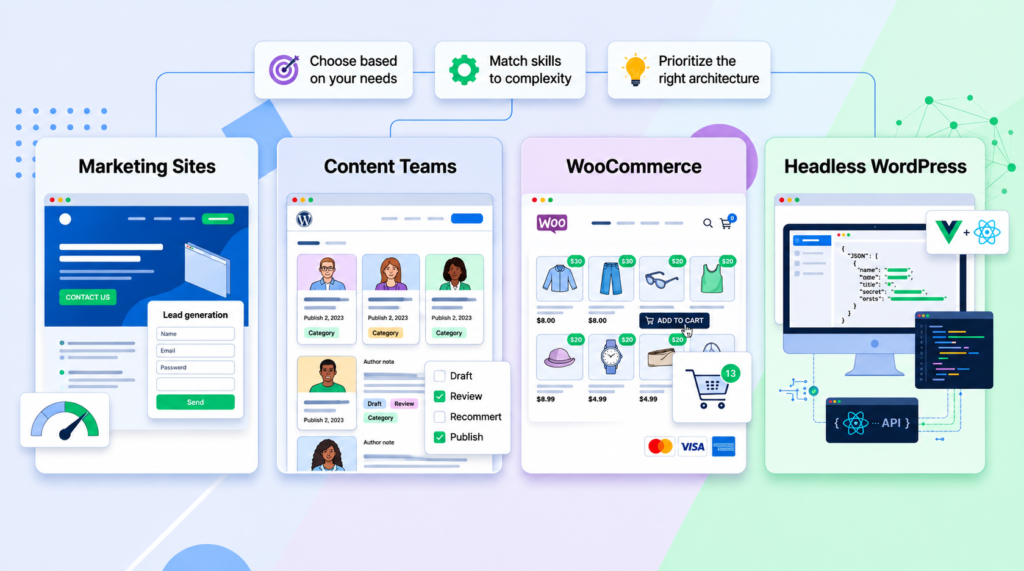
1) The marketing-site specialists
They’re great at fast, clean brochure sites, landing pages, and lead-gen flows. If your revenue depends on paid traffic and conversion rate, you’ll care about speed, tracking, and layout experiments. You also want them to coordinate with your marketing ops so forms, events, and UTM flows don’t turn into spaghetti.
2) The content + publishing teams
If you have editorial volume- like dozens of authors, approvals, categories, newsletters, gated content- then you need WordPress people who think in roles, workflows, revisions, and performance at scale. This is where block patterns and a disciplined design system save you.
3) The WooCommerce operators
These teams live and die by edge cases: tax rules, shipping zones, refunds, subscriptions, inventory sync, and payment gateways. You want someone who has shipped checkout changes without tanking conversions, because the stakes are higher.
4) The headless / app-style builders
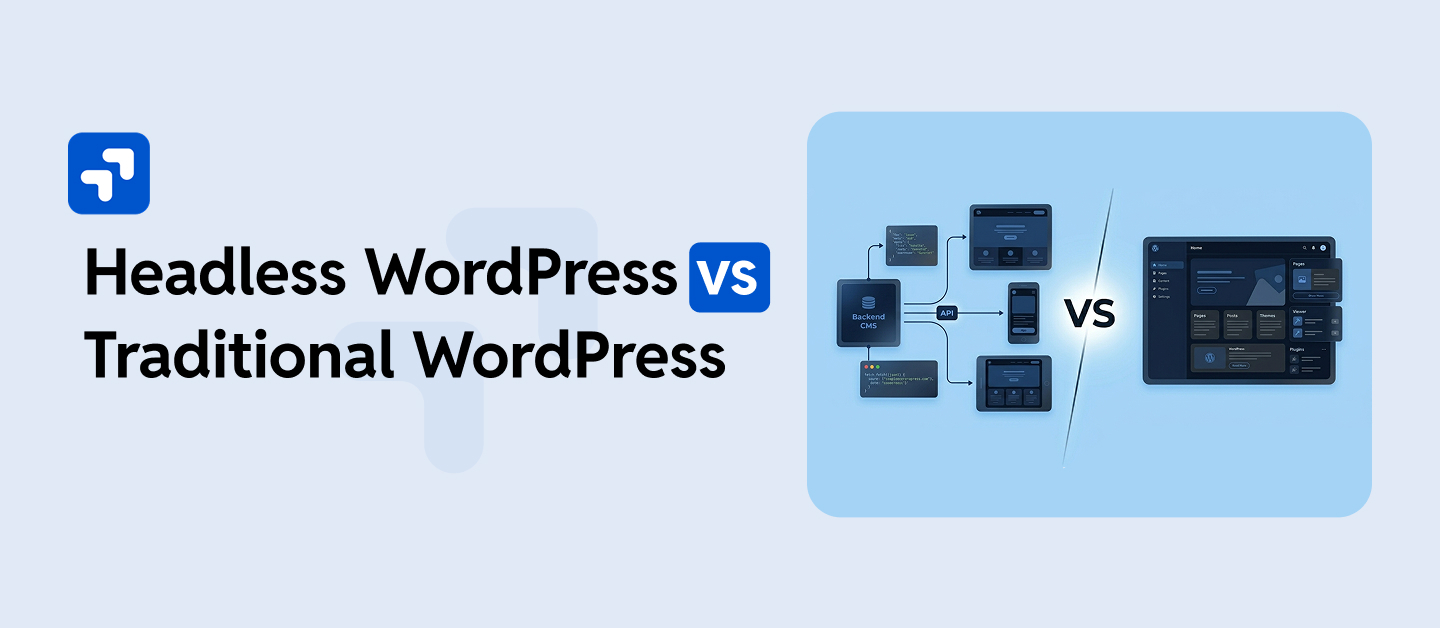
Headless WordPress can be a win when you need an app-like frontend, multiple channels, or heavy caching at the edge. But it’s not “automatically better.” You’re trading simple WordPress theming for a more complex architecture, so you need a team that can explain why the trade is worth it.
A quick way to shortlist companies
If you’re looking at a bunch of agency sites and they all sound the same, do this instead:
- Ask for two recent examples similar to your project type (not just “we built a website”).
- Request a 30-minute technical walkthrough of one build: what plugins they used, what they customized, how they handled performance.
- Ask what they do when things go wrong, like a missed deadline, a bad deploy, a plugin conflict, or a hacked site. Their answer tells you how they behave under stress.
- Get clarity on ownership: do you get the repo, admin access, and documentation? Or do they hold the keys?
Companies like Freshy have built their reputation by delivering top-notch services, leveraging extensive experience to support businesses of all sizes. That said, don’t stop at name recognition; use it as a starting point, then verify fit.
How Much Does It Cost to Hire a WordPress Developer?
The cost of hiring a WordPress developer can vary significantly based on the complexity and scale of your project. Freelancers may charge as little as $500 for basic services, while established agencies can command fees exceeding $50,000 for comprehensive projects. It’s crucial to assess your business needs and budget accordingly. Depending on your requirements, custom WordPress development can range from $1,500 to $20,000.
Those numbers can sound all over the place, but there’s a pattern. Pricing tends to follow risk and responsibility.
What you’re really paying for
A cheap build is usually cheap because someone is skipping steps:
- No discovery (so scope creep hits later)
- No performance budget (so you pay later with conversions)
- No QA (so you pay later with bug-fixing)
- No documentation (so every future change costs more)
On the other hand, the higher-end agency price often includes a project manager, design system thinking, technical planning, and post-launch support. That support matters because WordPress is a living system, not a one-and-done deliverable.
A practical way to set your budget
If you’re stuck guessing, try this:
- List the non-negotiables (e.g., multilingual, WooCommerce, membership, booking, CRM integration).
- Identify what can ship later (nice-to-have animations, extra templates, fancy filtering).
- Decide whether you need a rebuild or a rescue. A rescue (fixing a broken site) can cost more than a clean rebuild, because you’re paying for uncertainty.
Then ask agencies to price a phased plan. You’ll usually get a better outcome than forcing everything into one “big bang” launch.
Common cost traps (I’d avoid these)
- Overbuying headless: if your content team lives in WordPress and you don’t need app-like interactivity, headless can add cost without payoff.
- Theme lock-in: marketplace themes with 80 bundled features seem “cheap” until you need custom behavior.
- Plugin stacking: five plugins doing half the job each, because nobody wanted to write a small custom plugin.
How to Choose a WordPress Development Company in 2026
Picking a WordPress development company isn’t about finding the “best” agency on the internet. It’s about finding the team that can deliver your site, fast enough, secure enough, editable enough, and supported enough without turning every future change into a mini-project.
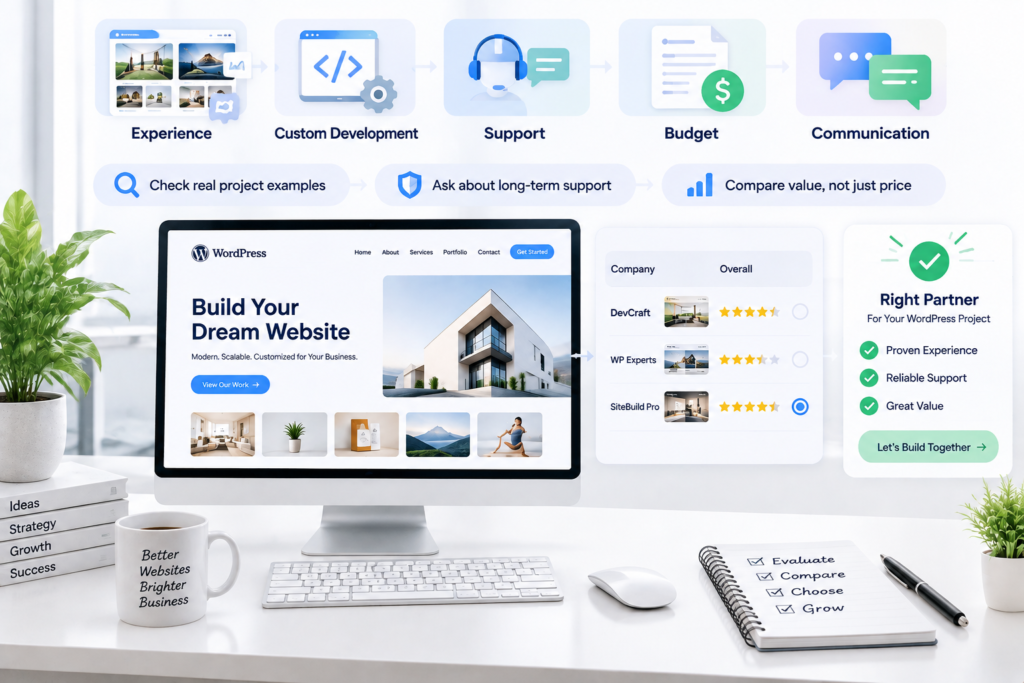
1. Expertise and Experience
I don’t start with years in business. I start with proof of judgment.
Ask for 2–3 examples that match your situation: same type of site, similar traffic, similar content volume, similar integrations. A gorgeous five-page brochure site doesn’t tell you much if you’re building a membership platform with subscriptions and gated content.
When you review a portfolio, look past the visuals and ask questions that force specifics:
- What theme or framework did they use (custom, block theme, starter theme, something off-the-shelf)?
- What did they build as custom plugins vs. stuffing everything into a theme?
- How did they handle forms, native blocks, Gravity Forms-style setup, headless form service?
- What was the post-launch support load like in the first 90 days?
Here’s a pattern I’ve seen more than once: an agency shows a killer portfolio, but those builds are basically “theme + page builder + 25 plugins.” It looks great until the first WordPress update breaks the layout, and then you’re paying hourly for fixes that feel like whack-a-mole.
So I always ask one blunt question: “What’s a decision you made on a past WordPress project that saved the client money later?” Good teams have an answer. Weak teams talk about “pixel-perfect design” and dodge the maintenance reality.
2. Custom WordPress Development
Custom WordPress development is a tool, not a trophy.
You want custom work when it solves a real constraint: performance, security, editorial workflow, weird integrations, or a business rule that plugins can’t handle cleanly. On the flip side, “custom everything” can be a trap if it turns your site into a snowflake that only one developer understands.
How I pressure-test their approach:
Step 1: Ask what they’d avoid customizing. If they say “nothing,” I get nervous. Every solid WordPress dev I trust has a list of things they prefer to keep standard (core editor patterns, media handling, user roles, the update path). That’s how you keep the site upgradable.
Step 2: Make them explain the content model. Don’t settle for “we’ll use custom post types.” Ask what those CPTs are, how they’ll relate them, and how editors will build pages without breaking layouts. In 2026, a lot of sane builds lean on blocks, patterns, and reusable templates rather than locking you into a heavy page builder.
Step 3: Ask what happens if you switch agencies later. This is where real craftsmanship shows up. Clean custom development means another competent dev can step in without rewriting the whole site. That usually requires:
- A consistent coding standard
- Clear separation of theme vs. functionality
- A readable repo history (not “final_final_v7.zip”)
- Documentation that doesn’t pretend the client is also a developer
A quick anecdote: I once inherited a “custom” site where the theme contained business logic for pricing rules, form processing, and an API integration, everything jammed into functions.php. The agency called it “efficient.” In practice, it made even small changes risky, because one wrong edit could break checkout.
3. Support and Maintenance
If an agency only talks about launch day, they’re not thinking like a partner. WordPress sites age. Plugins update, PHP versions move, browsers change, and your marketing team will absolutely ask for “just one more landing page” at 4:45 pm on a Friday.
You need to know what support looks like after the handoff:
- Do they offer a maintenance plan (updates, backups, monitoring), or is it “email us when it breaks”?
- What’s their response time for urgent issues?
- How do they handle staging vs. production updates?
- Do they test updates, or click “update all” and pray?
Also, clarify ownership early. You should own the domain, hosting account, analytics properties, and key third-party accounts. I’ve watched companies get held hostage because the agency “managed everything” and wouldn’t hand over credentials.
An often-overlooked aspect of choosing a development company is the level of support they offer post-launch. Websites require ongoing maintenance and updates, so it’s essential to select a company that provides reliable support services. Companies like WPGrit focus on building scalable and secure WordPress platforms that require fewer resources to maintain, ensuring long-term business growth with minimal hassle.
4. Costs and Budget
Budget is where people get weird; either they refuse to talk numbers, or they try to buy a serious build for the price of a logo.
On average, the cost to hire a WordPress developer typically ranges from $30 to $150 per hour, depending on their experience and the complexity of the project. That range is real, but it’s also incomplete, because the hourly rate is only one variable. A $150/hr developer who ships the right architecture in 40 hours can be cheaper than a $40/hr developer who needs 160 hours and still leaves you with a fragile site.
When you talk pricing, force clarity on scope and assumptions. I like to get agreement on these in writing:
- What’s included in the build (templates, content entry, redirects, analytics setup, SEO basics)?
- How many page templates and unique components?
- What’s excluded (copywriting, photography, product entry, ongoing CRO)?
- How many revision rounds?
- What counts as “out of scope” and how is it priced?
5. Communication and Collaboration
I’m picky here because communication problems don’t show up on day one. They show up mid-project, right when you’re trying to make decisions fast.
What I want:
- A named point of contact (not a rotating inbox)
- A weekly cadence (even if the update is “no blockers, on track”)
- A clear way to handle approvals (mockups, staging links, tickets)
- Honest tradeoffs instead of yes-to-everything
During sales calls, watch how they handle uncertainty. If you say, “We might add multilingual later,” do they ask what languages, what content types, what translation workflow? Or do they just nod and say “sure”? The nod is how you end up with surprise costs.
A quick test that works: ask them to explain, in plain English, how your homepage will be built and edited. If they can’t make it understandable to a non-dev stakeholder, your team is going to suffer later.
6. Reviews and Testimonials
Reviews help, but they’re easy to game. Testimonials on an agency’s site are basically curated highlights, so you need to look for signal, not praise.
Here’s what I look for in reviews:
- Mentions of reliability: “they hit deadlines,” “they communicated,” “they fixed issues quickly”
- Mentions of process: discovery, QA, documentation, training
- Mentions of outcomes: better conversion rate, fewer support tickets, faster publishing
Then I try to get one live reference call, even if it’s 15 minutes. I ask the reference the questions people avoid:
- “What broke after launch?”
- “Did they push back when you asked for something risky?”
- “How were they when something went wrong?”
Because something will go wrong eventually. The team you want is the one that stays calm, diagnoses fast, and doesn’t turn every fix into a negotiation.
FAQ’s:
Is it better to hire a freelancer or an agency?
It depends on the size and risk of the project. A single freelancer can be faster and cheaper for a small brochure site, but there’s no backup if they disappear mid-project or get busy. An agency costs more but usually has redundancy; if one developer is out, someone else can pick up the thread. For anything involving WooCommerce, memberships, or ongoing content operations, that redundancy tends to matter more than the price difference.
What are common red flags when talking to a new agency?
Vague answers to specific questions are the big one; if you ask what happens when something breaks post-launch and you get a generic “we’ll take care of it,” that’s not a plan. Other flags: no staging environment, reluctance to hand over admin access or the repo, and pricing that’s suspiciously round with no breakdown of what’s included.
Should a new agency take on any project just to build a portfolio?
This comes up a lot from the agency side rather than the client side; new agencies are often advised against taking every job that comes along, since underpriced or mismatched projects tend to cost more in support headaches than they’re worth in early revenue. If you’re the client, this cuts both ways: an agency that’s selective about what they take on is usually a better sign than one that says yes to everything.
How much should I expect to pay, and does a higher price guarantee quality?
Not automatically. Price tends to track process and risk-handling more than raw skill. A developer charging more per hour but shipping a clean, documented build in fewer hours can end up cheaper overall than a lower rate that turns into months of ad-hoc fixes.


Comments