

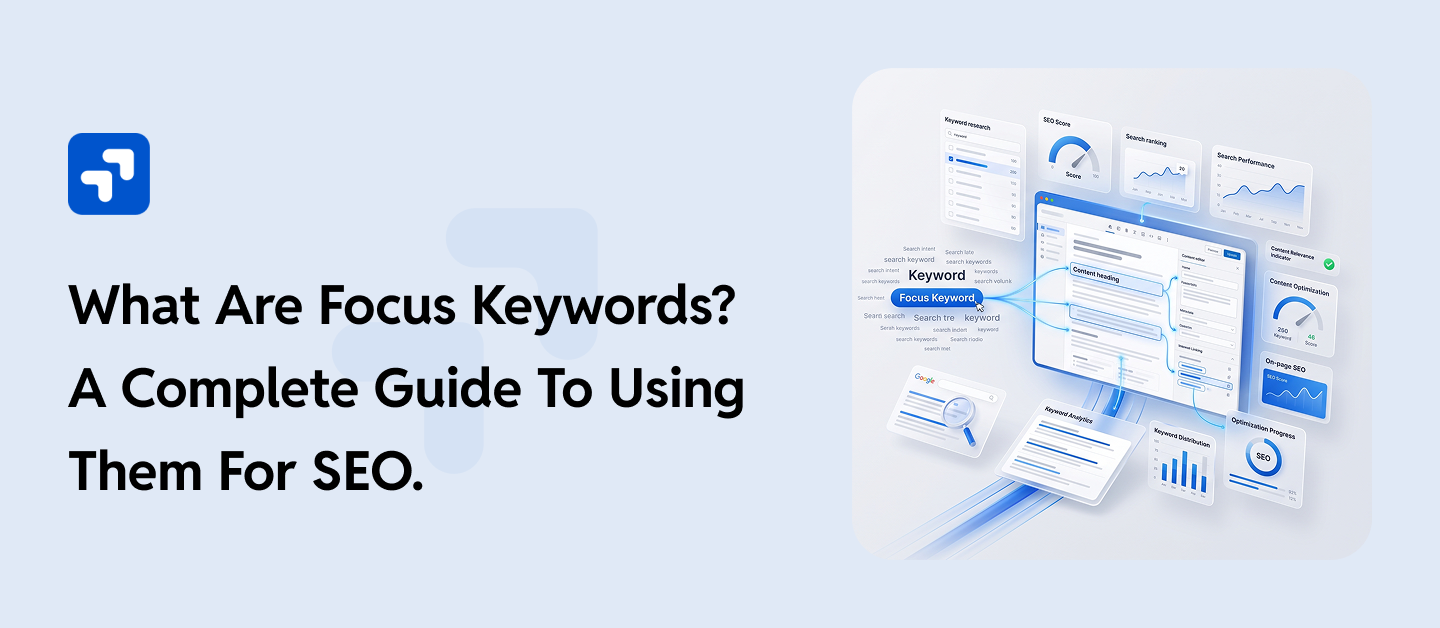
Open any SEO plugin in WordPress, and you’ll run into the same small box asking for a “focus keyword” or “focus keyphrase.” Most writers fill it in without giving it much thought and move on. That’s worth reconsidering, because this one field shapes how an entire page gets built, from the title down to the image alt text.
A focus keyword is the term or phrase you want a specific page to rank for, and it becomes the thread that ties your title, headings, and body copy together into something search engines can actually understand. Get it wrong, or skip the step altogether, and even genuinely useful content can end up buried on page three.
This guide covers what a focus keyword really is, how it differs from related terms like keyphrase and parent focus keyword, and how to choose and use one well, both as a general SEO practice and inside WordPress specifically.
What Is a Focus Keyword, Exactly?
A focus keyword, sometimes called a focus keyphrase, is the primary search term a page or post is built around. It isn’t a tag, and it isn’t a category. It’s a decision: out of everything a page could be about, which single term best captures the intent you’re trying to satisfy?
Search engines rely on relevance signals to work out what a page covers and who should see it. Your focus keyword acts as a compass for those signals. When it shows up in the right places- the title, the opening paragraph, a subheading or two, the image alt text- it tells both Google and readers scanning the page exactly what they’re about to get.
That doesn’t mean stuffing the phrase in as often as possible. Modern search algorithms read for meaning, not just repetition. Still, having a clear focus keyword SEO strategy gives your content a spine. Without one, pages tend to drift, trying to rank for everything and ending up ranking for nothing in particular.
Focus Keyword vs. Keyphrase vs. Parent Focus Keyword
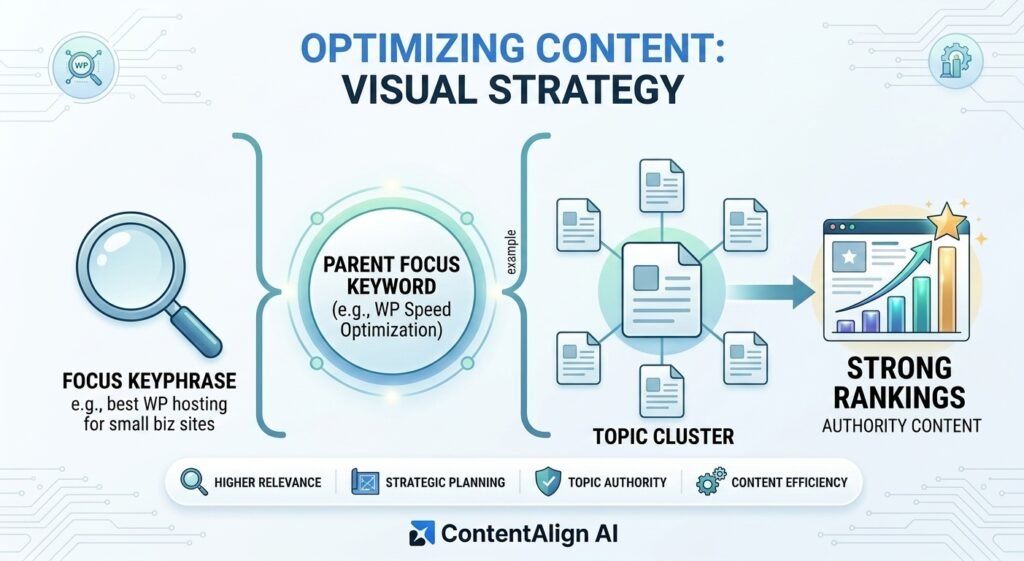
Focus keyword and keyphrase mean almost the same thing today. Early SEO tools asked for single-word “keywords,” but most real searches are multi-word phrases, so plugins like Yoast SEO eventually renamed the field from focus keyword to focus keyphrase. A keyphrase example makes this easier to picture than a definition does: instead of targeting the single word “hosting,” you’d target something like “best WordPress hosting for small business sites.” Same underlying idea, just a more precise phrase with a realistic shot at ranking.
A parent focus keyword is a slightly different concept. It comes up when several closely related terms could all reasonably describe the same page, say, “WordPress speed optimization,” “WordPress site speed,” and “how to make WordPress faster.” Rather than splitting these across three thin articles that compete with each other, you pick one parent focus keyword to build a strong central page around, and let the related phrases surface naturally within that content. It’s the anchor term for a topic cluster, which makes it especially useful when you’re planning pillar content like this piece.
Why Focus Keywords Matter for SEO
A focus keyword isn’t just a box to fill in on your SEO plugin. It affects three things that genuinely move rankings.
Relevance. Search engines match queries to pages using language patterns, and a consistent focus keyword gives them a clean signal about your topic instead of a scattered one.
Structure. Writers who choose a focus keyword before drafting tend to organize content more logically, because they’re writing toward a specific question rather than covering a subject in vague, general terms.
Click-through rate. When your focus keyword shows up in the meta title and description, it lines up with what the searcher typed, and pages that visibly match a query tend to get clicked more often, even sitting at the same ranking position as a competitor.
None of this works as a shortcut around content quality, though. An SEO focus keyword only helps a page that already answers the question well. Think of it as aim, not ammunition.
Focus Keyword Examples by Content Type
Focus keywords generally fall into a few buckets, based on what the searcher is actually trying to do.
| Search intent | What the searcher wants | Focus keyword example |
| Informational | An answer or explanation | what is a focus keyword |
| Navigational | A specific brand or page | yoast seo plugin settings |
| Commercial | Comparison before buying | best SEO plugin for WordPress |
| Transactional | Ready to buy or sign up | WordPress SEO services |
Matching the keyword type to the content format matters more than most people realize. A commercial-intent keyword like “best SEO plugin for WordPress” should lead to a genuine comparison, not a sales pitch dressed up as one, or visitors will bounce straight back to the search results.
How to Choose the Right Focus Keyword
Picking a focus keyword comes down to three questions, roughly in this order.
What is the searcher actually trying to do? Read the top handful of results for a term before committing to it. If they’re all product pages and you’re planning a blog post, that mismatch will work against you no matter how well the post is written.
Can you realistically compete for it? Check keyword difficulty, but don’t stop there. Look at who’s currently ranking. A page from an established competitor with thin, outdated content is beatable. A page from a major publication usually isn’t, not without serious domain authority behind it.
Does it match your site’s purpose? The best WordPress SEO keywords aren’t necessarily the highest-volume ones. A slightly narrower phrase that matches your actual services and audience will convert better than a broad term that pulls in the wrong visitors entirely.
Google Search Console is worth checking first when you’re mapping out keywords in WordPress SEO, since it shows queries your site is already earning impressions for, sometimes without ranking particularly well. Those are often the easiest wins, because you’re already partway there. Tools like Ahrefs or SEMrush add volume and competition data on top, which helps once you’re deciding between two or three close options for the same page.
Here’s how that plays out in practice. Say you run a WordPress maintenance business and you’re deciding between two possible focus keywords: “WordPress maintenance services” and “how much does WordPress maintenance cost.” The first is broader and more competitive, dominated by established agencies with years of backlinks. The second is narrower, but it matches a very specific stage of buyer research: someone close to hiring, trying to budget before they commit. For a newer site, the second option is usually the smarter target. Less competition, clearer intent, and a page built to answer that question directly can out-convert a page trying to outrank agencies that have been at it for a decade.
If you need expert WordPress development, performance optimization, or technical SEO support, WPGrit helps businesses build and maintain scalable, high-performing WordPress platforms.
How Focus Keywords Work in WordPress
WordPress doesn’t have a native focus keyword field built in. That functionality comes from your SEO plugin. Yoast SEO and Rank Math are the two most common choices, and both work from the same underlying idea: you set a Yoast focus keyword or a Rank Math focus keyword, and the plugin checks your content against that term.
How to Add a Focus Keyword in WordPress (Yoast SEO)
- Open the post or page editor and scroll to the Yoast SEO panel below the content, or open it from the sidebar.
- Select the SEO tab.
- Enter your term in the Focus Keyphrase field; this is what used to be labeled Focus Keyword.
- Review the analysis. Yoast checks whether your Yoast SEO focus keyword appears in the title, meta description, first paragraph, a subheading, and the image alt text, then flags whatever’s missing.
A green light from Yoast is a reassuring signal, but it isn’t the actual goal. Treat it as a checklist, not a ranking guarantee.
How to Add a Focus Keyword in WordPress (Rank Math)
- Open the editor and click the Rank Math icon in the top toolbar.
- Then find the Focus Keyword field.
- Type your term and press Enter. You can add more than one if the page genuinely covers related terms.
- Rank Math scores the page out of 100 and lists specific fixes to work through.
Whichever plugin you use to add a focus keyword in WordPress, the mechanics matter less than the thinking behind the choice. The plugin can tell you where a keyword is missing. It can’t tell you whether it was the right keyword to begin with; that part is still on you.
Best Practices for Placing Your Focus Keyword
Once you’ve settled on a term, spread it across these spots, naturally rather than mechanically:
- Page title (H1), near the beginning if it reads naturally there
- Meta title and meta description
- The opening 100 words or so
- At least one H2 or H3 subheading
- Image alt text on at least one relevant image
- The URL slug, kept short and clean
Keyword density isn’t a meaningful ranking factor anymore, and chasing a specific percentage will make your writing worse, not better. Use synonyms and related phrases freely. If your focus keyword is “WordPress SEO keywords,” it’s fine, expected even, to also write “search terms,” “ranking phrases,” or “target queries” elsewhere on the same page. Google’s language models handle synonyms far better than most writers give them credit for.
Focus Keywords and Secondary Keywords: Why One Term Isn’t the Whole Strategy
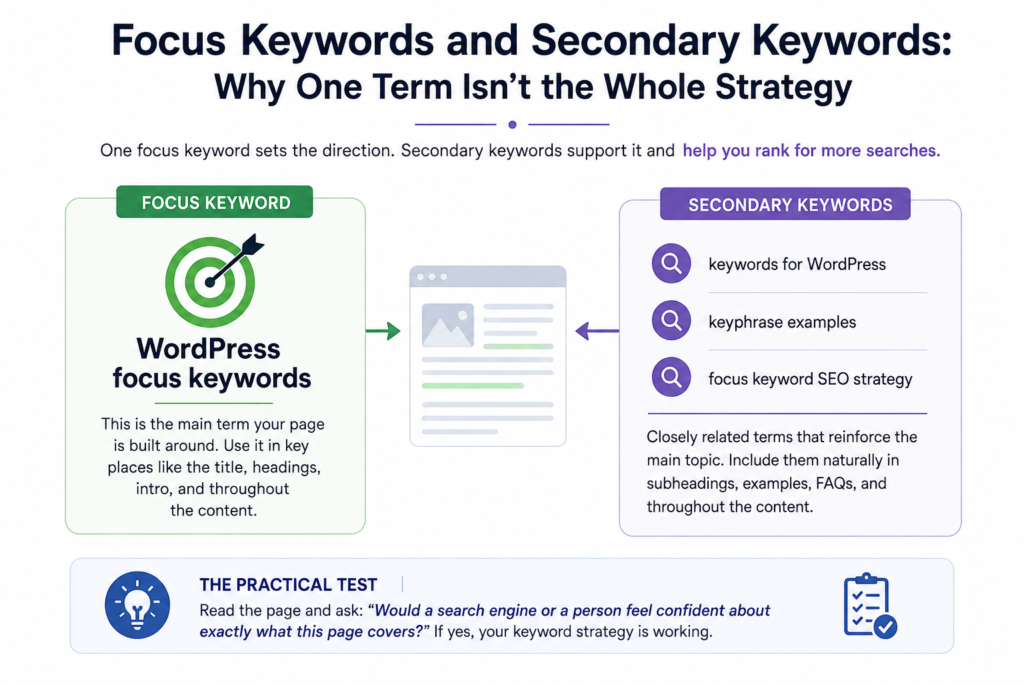
A single focus keyword anchors a page, but it shouldn’t be the only phrase you’re writing toward. Most well-ranking pages also cover a handful of secondary keywords, closely related terms that reinforce the main topic without competing against it.
Say your focus keyword for a guide like this one is “WordPress focus keywords.” Secondary phrases might include “keywords for WordPress,” “keyphrase examples,” or “focus keyword SEO strategy.” None of these need their own dedicated field in Yoast or Rank Math, though Rank Math does let you add a few as additional focus keywords if you want the tracking. Mostly, they just need to show up naturally as the content develops, in subheadings, in examples, in the FAQ section near the bottom of the page.
This is also where a parent focus keyword and its secondary terms start to overlap. If you’ve mapped out a content cluster around a broader topic, the individual pages in that cluster often end up serving as each other’s secondary keyword sources, connected through internal links rather than repeated content.
The practical test is simple: read the page back and ask whether a search engine, or a person, would come away confident about exactly what it covers. If the answer’s yes, the keyword coverage is doing its job.
Common Focus Keyword Mistakes to Avoid
Targeting a keyword with no clear intent match. If you can’t tell what someone typing that phrase actually wants, don’t guess. Pick something more specific instead.
Going too broad. Single-word terms like “SEO” or “WordPress” are dominated by sites with years of authority behind them. Long-tail phrases are easier to win and tend to convert better anyway.
Letting two pages compete for the same term. This is keyword cannibalization, and it happens more often than people expect, especially on sites that have been publishing for years without a clear keyword map. Search engines end up splitting relevance between the pages instead of ranking either one well.
Treating the plugin score as the finish line. A perfect Yoast or Rank Math score attached to thin content still won’t rank. The checklist supports good writing. It doesn’t replace it.
Do Focus Keywords Ever Need to Change?
Sometimes, yes. Search behavior shifts, and a term that performed well two years ago might not match how people search today. If a page’s traffic has been sliding for months despite no changes to the content itself, check its performance in Search Console before assuming the writing is the problem. Often the real issue is that the original focus keyword no longer matches current search patterns, a competitor has moved in, or a newer, more specific version of the phrase has taken over.
When that happens, updating the focus keyword usually calls for a light content refresh too, not just swapping the term inside your SEO plugin. The title, headings, and opening paragraph should shift to match. Otherwise, the gap between what the page promises and what it actually delivers will hurt more than the outdated keyword ever did.
The Bottom Line
A focus keyword is a small decision with an outsized effect on how a page performs. Pick it before you write, not after, and let it shape your structure rather than getting squeezed into a finished draft as an afterthought.
Keyword strategy is only one piece of the picture, though. Slow load times, a messy site structure, or an SEO plugin fighting your theme can undo good keyword work just as easily as skipping it altogether. If that sounds familiar, WPGrit’s SEO and technical optimization services are built around closing exactly that kind of gap.
Frequently Asked Questions
Prioritize useful content, use keyword research to understand what it should address, and then use those keywords naturally in the content. This is perhaps the most consistent lesson across the focus-keyword discussions. Keywords still matter because they reveal how people describe their problems and what they are trying to find, but they should act as research clues rather than a script that dictates every sentence. When the content genuinely answers the query, keyword placement becomes much easier because you are writing about the subject rather than trying to manufacture relevance.
Absolutely. A page does not have to rank for only the phrase you entered into an SEO plugin because Search engines can associate a well-written page with multiple related queries when the content genuinely covers the subject. This idea also appeared in the supplied Reddit discussions, where users noted that pages can rank for multiple keywords regardless of how many focus phrases are entered into a plugin.
No. There is no good reason to turn every headline into an awkward sentence simply because an SEO plugin prefers the phrase at the beginning. It’s a criticized recommendations that encourage writers to place a focus keyword first or repeat it a certain number of times when doing so makes the headline sound unnatural. Other users agreed that natural, reader-focused writing is more important than obsessing over the plugin’s score.


Comments