

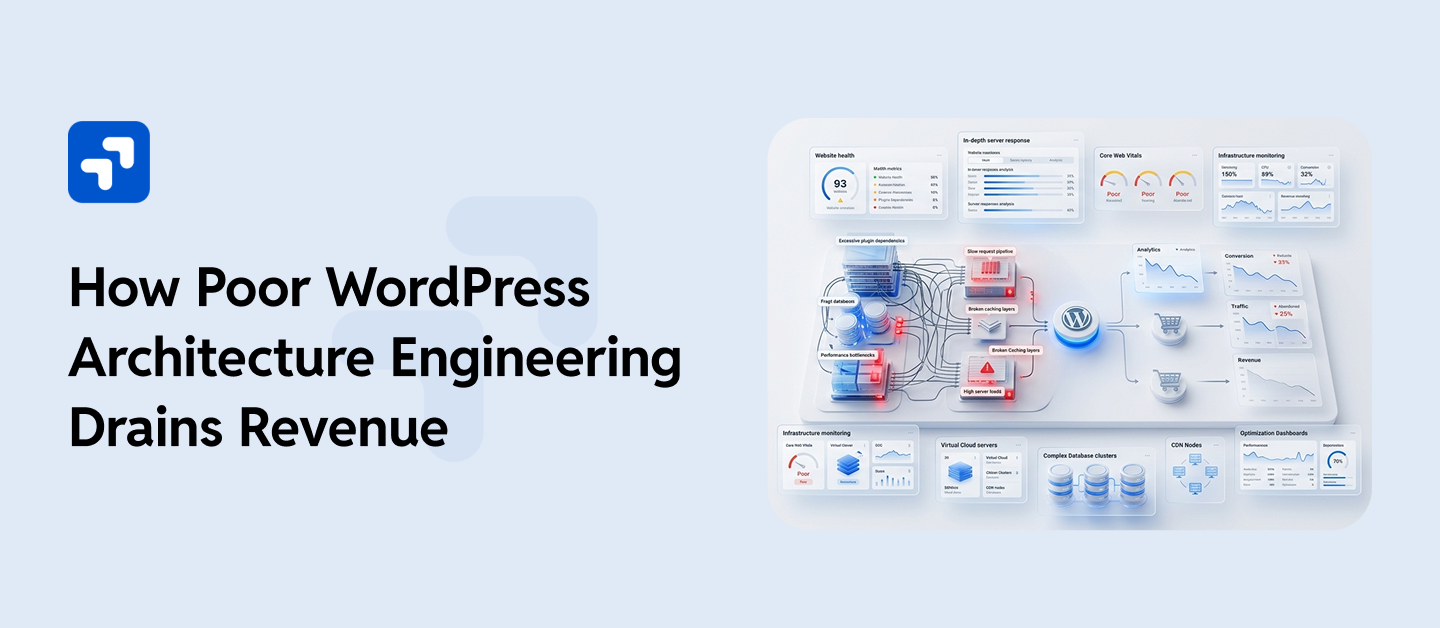
A WooCommerce brand I know well was growing fast, securing 7,000 orders a month and maintaining a strong repeat-customer rate. Then they ran a Black Friday push. Traffic hit five times the usual volume. Within 25 minutes, the site went down. Their hosting provider confirmed that the servers were technically fine. The real problem sat deeper: an unindexed database table that locked under concurrent queries, and third-party scripts that loaded synchronously on every single request. After three hours, the site came back, but the estimated loss sat around $45,000, from years of building without ever using WordPress architectural engineering.
Getting the right architecture with Core Web Vitals check, whether at the beginning of a new build or through a structured improvement program on an existing system, is one of the highest-leverage investments a growing business makes in its digital infrastructure. WPGrit works with growing companies, enterprise teams, and WooCommerce brands that need WordPress to work as a serious business platform. If your current system has started limiting growth rather than supporting it, that is exactly where the conversation begins.
Table Of Contents:
- Why WordPress Architecture Engineering Matters for Fast-Growing Businesses
- The Five Technical Layers Behind Every Scalable WordPress System
- Server Infrastructure
- Database Design and Optimization
- Codebase and Application Structure
- Caching Architecture
- API and Integration Layer
- Why Engineers Build WordPress Systems Differently
- Page builders are used as the structural backbone:
- Plugin sprawl without governance:
- No deployment workflow:
- Traditional, Headless, and Hybrid: Which WordPress Architecture Fits Your Business?
- How Poor WordPress Architecture Engineering Quietly Drains Business Revenue
- Performance Slowdowns Directly Affect Revenue:
- Development velocity drops, and it looks like a people problem:
- Downtime has a direct dollar figure:
- Infrastructure costs climb without a corresponding performance benefit:
- Clear Signs Your Platform Needs a WordPress Architecture Engineering
- How WPGrit Approaches WordPress Architecture Engineering
- FAQ
The Five Technical Layers Behind Every Scalable WordPress System
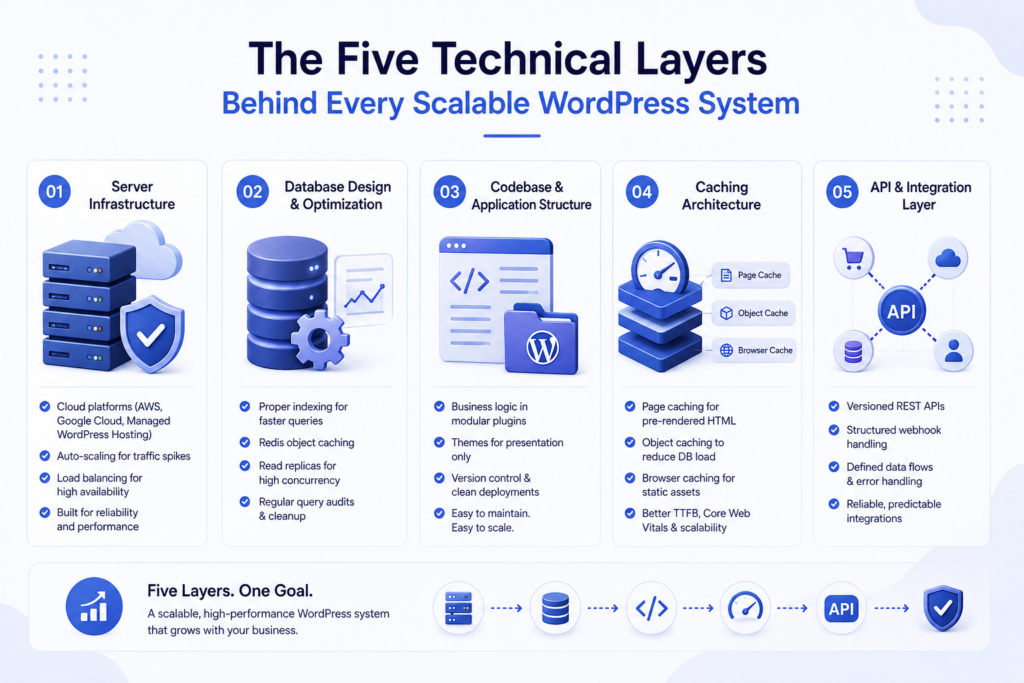
Architecture is not a single decision. It is a set of deliberate choices across five layers, and each one directly affects how the system performs under real business conditions.
1. Server Infrastructure
The server environment sets the ceiling for everything else. Just because, without load balancing, a traffic spike during a viral campaign can bring the site down, regardless of how well-written the code is.
Properly designed server infrastructure runs on cloud platforms like AWS, Google Cloud, or a managed WordPress host so that increased traffic triggers automatic resource allocation rather than a panicked call to a support team.
2. Database Design and Optimization
The database is where most WordPress performance problems originate. An unindexed wp_postmeta table with millions of rows does not slow a site gradually; it collapses query performance under concurrent traffic. Those slow queries lock the entire table, and under real load, that lock cascades into timeouts. Engineers address this proactively through proper indexing, Redis object caching to prevent repeated database queries, read replicas for high-concurrency environments, and regular query audits before traffic exposes gaps.
3. Codebase and Application Structure
This is the layer where most agencies cut corners, and where growing businesses feel the consequences most sharply.
Custom functionality ends up in functions.php. Business logic lives inside theme templates. Plugins stack on top of each other with no governance, so changing one breaks two others in ways nobody predicted. Early on, at low traffic and modest complexity, none of this causes visible problems. But as the business adds features, integrations, and user volume, that codebase becomes the development team’s biggest daily obstacle.
Properly engineered WordPress systems keep business logic in purpose-built, modular plugins. Themes handle presentation only. Code ships through version control. A developer who joins the project 12 months later can understand the system without a three-hour briefing from whoever originally set it up.
4. Caching Architecture
Most WordPress sites have caching installed. Engineered systems have caching designed into them, which is a genuinely different thing.
A mature caching strategy works across multiple layers simultaneously. Page caching serves pre-rendered HTML, so PHP never fires for repeat requests. Object caching stores database results in memory, so the database receives far fewer queries. Browser caching tells returning visitors to load static assets locally instead of re-downloading them on every visit
The gap between these two approaches, installed versus designed, shows up directly in Time to First Byte, Core Web Vitals scores, and how the system holds together at 8–10x normal traffic volume.
5. API and Integration Layer
A WooCommerce store syncs inventory with an ERP. A content-heavy site feeds a mobile app. A marketing team needs form submissions to flow simultaneously into HubSpot and a CRM. Without architectural planning, these integrations become fragile over time. One plugin update breaks three external connections. Webhook failures go undetected for days. Data gets duplicated or silently lost between systems. An engineered integration layer uses versioned REST APIs, structured webhook handling, and clearly defined data flows, so that third-party connections stay predictable and, more importantly, recoverable when something eventually goes wrong.
Why Engineers Build WordPress Systems Differently
There is a straightforward reason most WordPress platforms have architectural problems: getting a site live is the priority, the deadline drives the decisions, and the consequences of poor architecture stay hidden until the business grows large enough to expose them.
But several specific patterns show up repeatedly across growing WordPress systems that nobody ever properly structured, and recognizing them early saves serious money.
Page builders are used as the structural backbone:
Visual page builders work well for quickly assembling marketing pages. They create real problems as the structural core of a high-traffic, content-heavy platform. The bloated markup, inline styling, and heavy JavaScript they generate create a performance ceiling that no hosting upgrade resolves. Beyond speed, the deeper issue is that page builder content becomes entangled with the theme itself, so any future architectural change costs significantly more than it should.
Plugin sprawl without governance:
Installing 25–35 plugins because each one solves a specific problem feels reasonable at the time. Without a plugin governance strategy, though, those plugins overlap in functionality, conflict on updates, and each one adds load to every page request, whether or not that specific page needs the feature. Security exposure grows alongside the plugin count.
No deployment workflow:
Making changes directly on a production server is not a development process; it is a daily risk. Properly engineered systems follow a clear path: local development environment to staging to production, with version control and rollback capability at every stage. Growing businesses eventually need WordPress to handle complex user roles, custom data structures, API-driven experiences, and possibly multi-site networks. Teams that build WordPress as a simple website need expensive structural rebuilds, rather than incremental improvements.
Traditional, Headless, and Hybrid: Which WordPress Architecture Fits Your Business?
The right WordPress architecture depends on where the business currently sits, in terms of scale, technical team capacity, and what the platform genuinely needs to do.
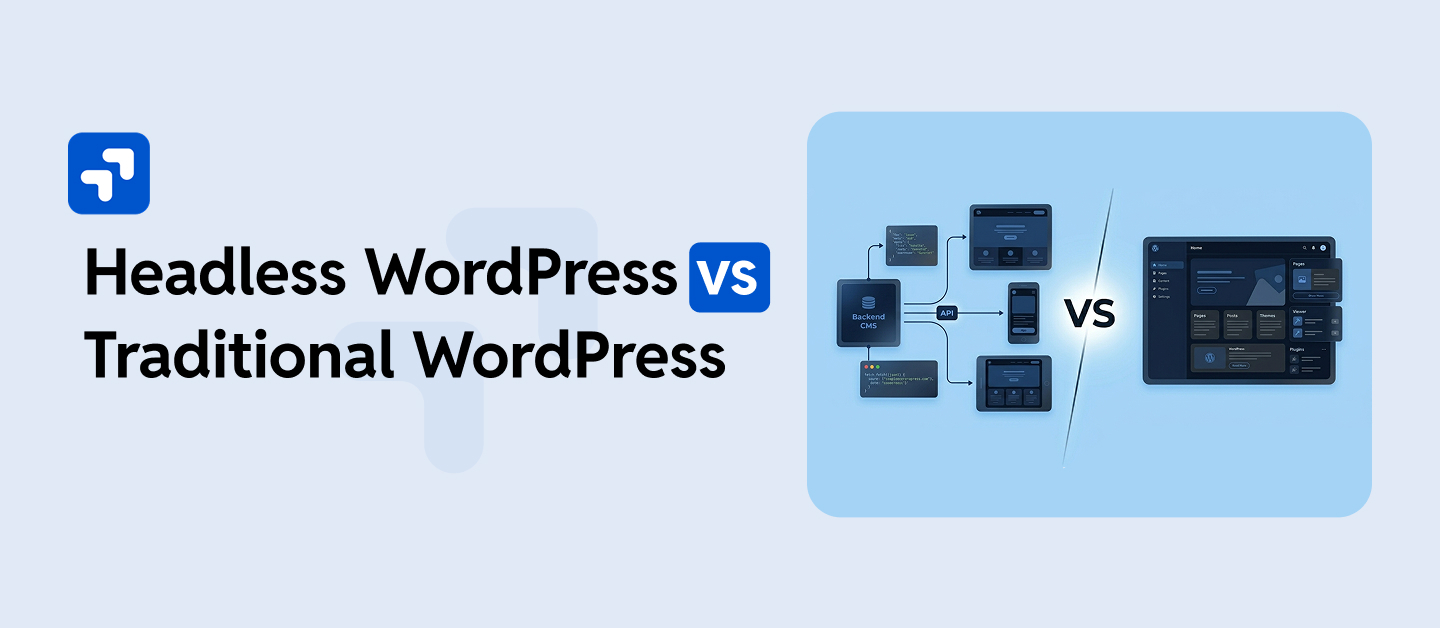
| Architecture | Best Suited For | Frontend | Engineering Complexity | SEO Performance | Scalability Ceiling |
| Traditional (Coupled) | Content sites, marketing platforms, early-stage products | WordPress themes + Gutenberg | Low to Medium | Strong out of the box | Medium |
| Headless WordPress | SaaS portals, multi-platform content delivery, app-driven experiences | React / Next.js / Vue | High | Requires engineering effort | Very High |
| Hybrid WordPress | Enterprise marketing, B2B platforms, WooCommerce at volume | Server-rendered + API | Medium to High | Strong | High |
How Poor WordPress Architecture Engineering Quietly Drains Business Revenue
The financial cost of architectural debt in WordPress systems is real, but it tends to surface in ways that teams do not immediately connect to the root cause.
Performance Slowdowns Directly Affect Revenue:
Even small delays in page speed can hurt conversions because when product pages take longer to load, or checkout feels sluggish, visitors drop off faster than most businesses expect. For high-traffic WooCommerce stores, a delay of even a second can mean fewer completed purchases, lower engagement, and lost revenue over time. For a WooCommerce brand processing significant daily order volumes, that is not an abstract percentage; it is real revenue disappearing on every slow page load, every day.
Development velocity drops, and it looks like a people problem:
When a team spends 40% of their sprint capacity on maintenance work, compatibility fixes, and cautious deployments because “something might break,” that is an architecture problem wearing a people problem’s clothing. The root cause is structural, but the symptom shows up as slow product development and missed deadlines.
Downtime has a direct dollar figure:
For a mid-sized WooCommerce business, even a 30-minute outage during a high-traffic period translates into measurable revenue loss, plus customer trust damage that no analytics report captures.
Infrastructure costs climb without a corresponding performance benefit:
Teams add more server resources, trying to compensate for application-level inefficiencies. But since the application layer is the actual bottleneck, the spend produces diminishing returns. More RAM does not fix a locked database table. A faster CPU does not help when unoptimized PHP fires on every request that caching should have intercepted.
Seeing these patterns in your own WordPress platform?
WPGrit audits, restructures, and engineers scalable WordPress systems for growing businesses and enterprise teams. We start with a technical audit, not a sales presentation. Book a technical consultation with WPGrit →
Clear Signs Your Platform Needs a WordPress Architecture Engineering
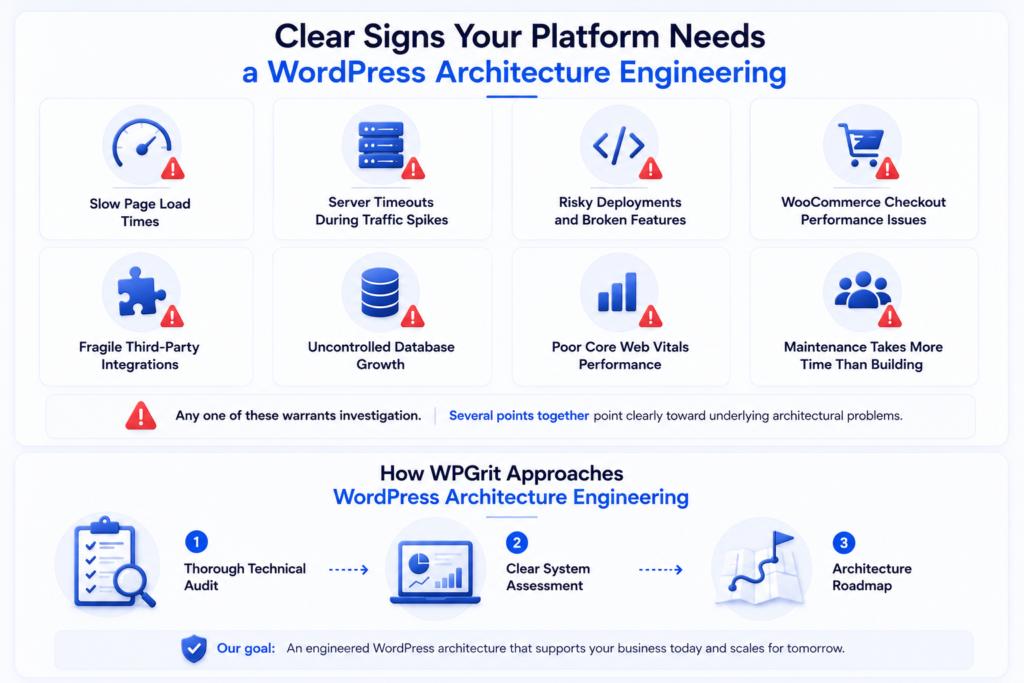
Not every WordPress system needs a full rebuild, but these warning signs act as red flags because they tend to compound over time rather than self-correct:
- Page load times consistently exceed three seconds on a clean connection, even with a CDN active.
- Traffic spikes, even moderate ones, trigger server timeouts or 502/503 errors.
- Developers hesitate before deployments because past changes broke unrelated features.
- WooCommerce checkout performance degrades noticeably under moderate concurrent order volumes.
- Third-party integrations require regular manual intervention to stay functional.
- The database grows faster than the actual business logic justifies.
- Core Web Vitals reports continue showing weak performance metrics across important pages.
- The development team spends more time maintaining what exists than building new capabilities.
Any one of these warrants investigation. Several points together point clearly toward underlying architectural problems, specifically because each one signals a system that fights the business rather than supports it.
WordPress Architecture Engineering by Wpgrit
WPGrit starts every engagement with a thorough technical audit rather than a proposal for services. Before recommending any changes, our professional engineering team examines database performance, codebase structure, caching strategy, plugin architecture, hosting configuration, and integration dependencies, and sees a clear picture of where the system stands and what the business actually needs it to do.
From that audit, WPGrit builds an architecture roadmap ordered by business impact. Performance issues that directly affect revenue, alongside any active security vulnerabilities, are handled first.
FAQ:
The clearest warning signs for WordPress architecture engineering problems are: for loading pages taking over three seconds, even with a CDN. Server errors are popping up during traffic spikes. Developers who hesitate before deploying because past changes broke something that should have been unrelated. WooCommerce checkout is crawling under moderate transaction volume. Google Search Console is flagging Core Web Vitals failures. Any single one of these is worth a deeper look, especially if the company is growing, because architectural weak spots don’t fix themselves with growth. They get worse.
WordPress handles serious scale every day. A big chunk of the Fortune 100 already runs parts of their digital presence on it, and major publishers use it to push tens of millions of page views a month without issue. The platform doesn’t create scaling headaches; bad architectural decisions do. When you couple WordPress with properly designed infrastructure, layered caching, a sensible database, modular custom code, and stable integrations, it deals with heavy loads without a problem. Whether you stay or move elsewhere should be a decision based on actual technical needs and what migration genuinely costs, not on vague doubts about what WordPress can do.
In a headless setup, WordPress handles content while the frontend runs independently. WordPress handles content and API delivery; a JavaScript framework like Next.js takes care of the user-facing side. It can deliver genuine speed improvements and make it easy to push content to multiple platforms from one place. A lot of enterprise marketing and B2B setups get nearly the same benefits from a hybrid approach, without the burden of maintaining two completely separate tech stacks. Headless isn’t a blanket upgrade for every growing company; it’s a specific engineering decision for teams with clear technical reasons.


Comments